Free
$0- 2 lookups a day signed out; signed in, 30 a month, up to 5 a day
- Single-post downloads are free
- ZIP up to 20 images
TikTok · Profile picture
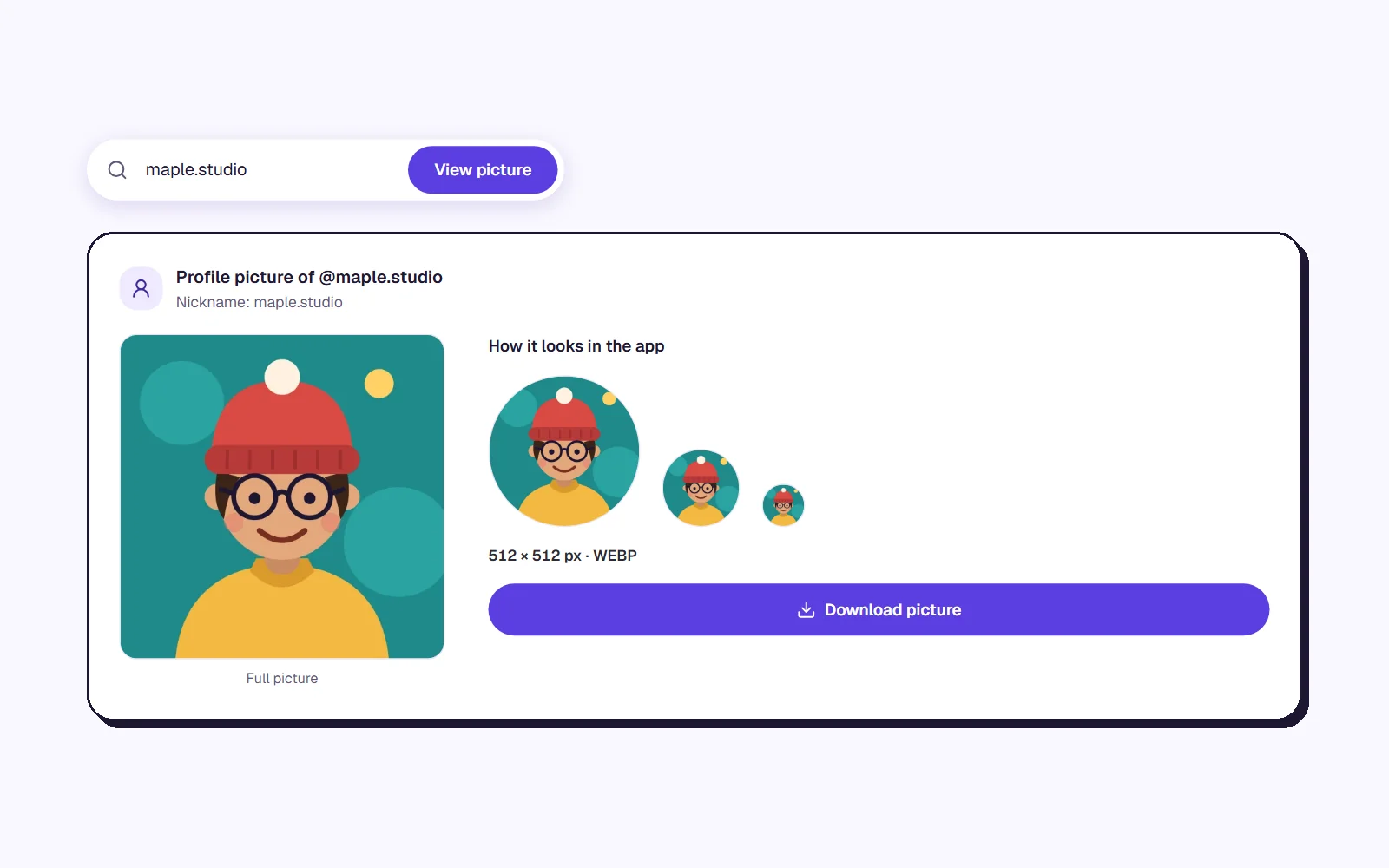
This TikTok PFP downloader opens a public account's profile picture large and saves it in one tap, from a username or profile link.You see the full square picture and a circle preview of how it looks in the app. No TikTok login is needed, and the account owner isn't told.
Free: 2 lookups a day as a guest. The picture download is free. No ads.
Checked Nov 26, 2026 · 3 public accounts
On Nov 26, 2026 we looked up three public accounts: @tiktok, @khaby.lame and @nasa. All three returned a profile picture, 3 out of 3.
Updated Nov 2026
Type the username here and press Download. The file is the largest version TikTok keeps for that account.
Yes. The viewer opens the square picture large, not cropped to a circle.
No. We look up public profiles without a TikTok account, and TikTok doesn't notify anyone.
No. This TikTok pfp viewer shows no picture for private accounts.
The username, the @name in the profile link. Nicknames aren't unique, so they can't find one account.
The box reads three kinds of input and finds the account behind each one. The table shows what each looks like and what happens next.
| You paste | Example | What we do |
|---|---|---|
| Username | nasa | Look up that account |
| @name | @nasa | Remove the @, then look it up |
| Profile link | tiktok.com/@nasa | Read the username from the link |
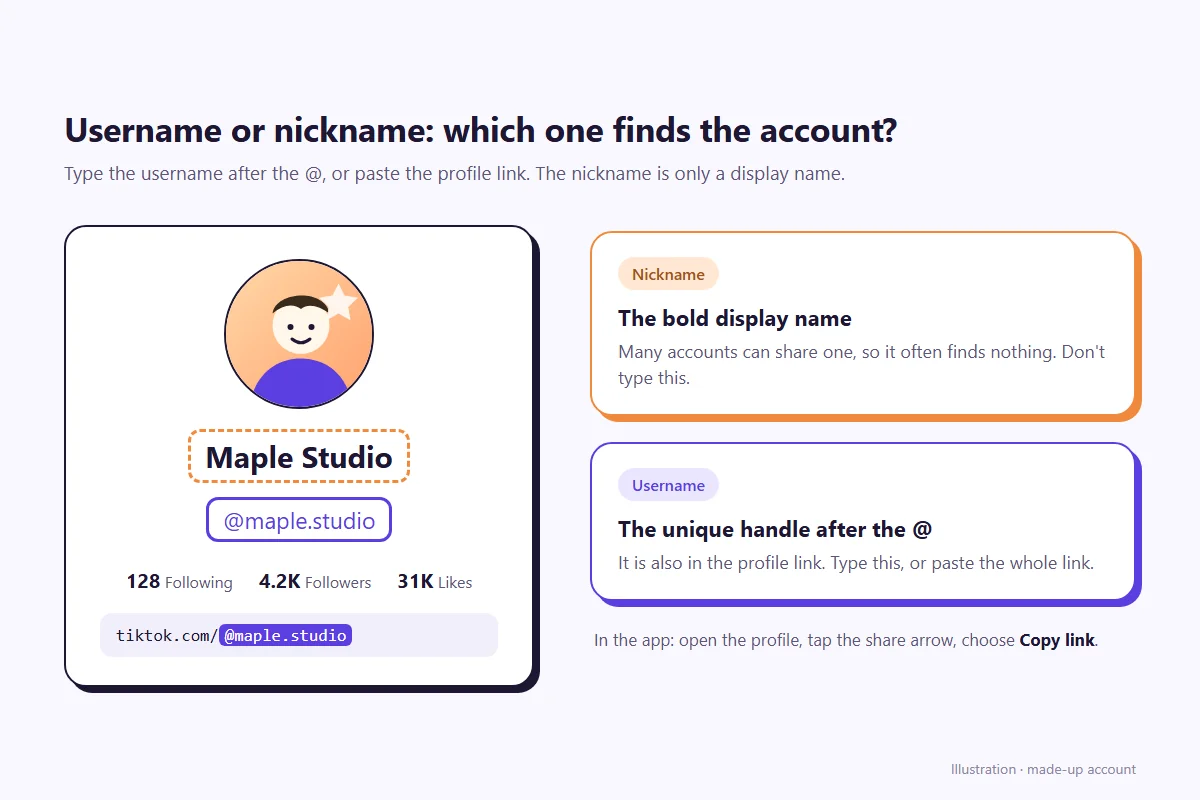
Every TikTok account has two names, and only one of them finds the account. The username is the unique handle after the @, like @nasa, and it appears in the profile link.
The nickname is the display name in bold above it, and many accounts can share one. If a search finds nothing, you most likely typed the nickname.
To copy the username in the app, open the profile, tap the share arrow and choose Copy link. Paste that link here.
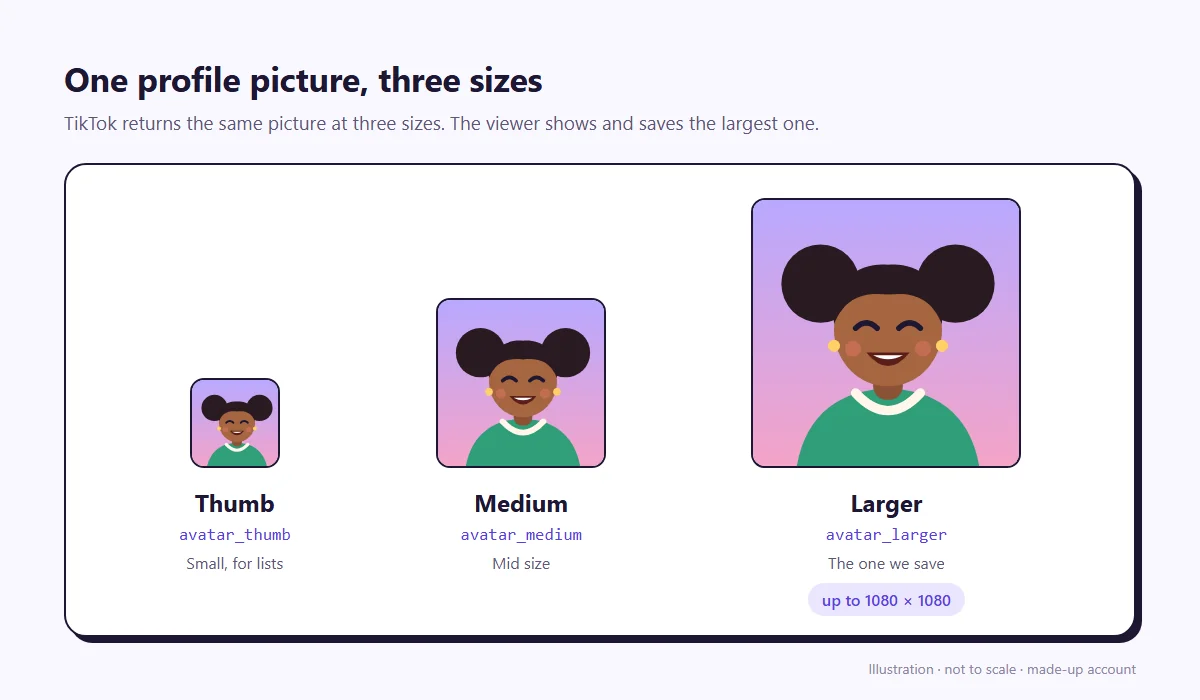
TikTok stores each profile picture in three sizes, and the app shows a small one in the circle. The downloader saves the largest of the three. The table lists all three as they come back from TikTok.
| Size TikTok returns | Field name in TikTok's data |
|---|---|
| Thumb | avatar_thumb |
| Medium | avatar_medium |
| Larger, the one we save | avatar_larger |
A picture uploaded small stays small at every size. No tool can add detail that the owner's original upload didn't have.
TikTok crops every profile picture into a circle. The preview shows the full square next to the circle. You see what the corners lose before you use the picture.
For your own picture, keep the face or logo in the middle. Anything in the corners is cut off in the app.
These checks come from our own lookups of public accounts. Each row says what the result means when you use the downloader.
| What we tested | Result | Why it matters to you |
|---|---|---|
| Profile lookup on 3 public accounts, Nov 2026 | 3 of 3 returned a picture | Public accounts open on the first try |
| Picture link type | Signed link with an expiry time | Save the file, not the link |
Test date for the first two rows: Nov 26, 2026.
Yes. Looking up an account uses one lookup, and downloading the picture is free. Guests get 2 lookups a day, and a free account gets 30 lookups a month, up to 5 a day.
No one is notified. TikTok's profile view history lists only logged-in accounts that turned the setting on, per TikTok's help page. We look up public profiles without any TikTok account, so no name can appear there.
We never ask for your TikTok password. If it's your account and you don't want it shown here, ask us on the opt-out page.
One click saves one picture file. The table lists every detail we know about the file.
| Item | Detail |
|---|---|
| Picture | The largest version TikTok keeps for the account |
| Shape | The full square, not cut to a circle |
| Watermark | None |
| File name | nasa-tiktok-pfp.jpg for @nasa (the ending follows the picture’s format) |
The file lands wherever your browser saves downloads. On iPhone that is the Files app, in the Downloads folder, and on Android the Download folder.
Some pictures are out of reach for any website. Here is what the downloader can't get, why, and what you can do instead.
Why: We don't show private accounts
What to do instead: Follow the person in the TikTok app
Why: TikTok keeps only the current one
What to do instead: Save pictures you like before they change
Why: No tool can add missing detail
What to do instead: Ask the owner for the original file
Why: The profile is gone from TikTok
What to do instead: Nothing to download
Why: The owner asked us not to show it
What to do instead: Not available on this site
Accounts that change their username need a new search. Copy the current @name or profile link from the app and try again here.
There are three usual ways to get a TikTok profile picture. The table compares them on size, shape and what you have to give up.
| MuteView | Typical pfp download sites | Screenshot in the TikTok app | |
|---|---|---|---|
| Size | Largest version TikTok keeps | Varies, often not stated | Small and cropped |
| Full square or circle | Both, side by side | Usually the square | Circle only |
| TikTok login | Never | Some ask for one | Your own account |
| Ads | None | Often | None |
A screenshot captures only the circle at screen size. The downloader saves the picture file itself, with nothing cropped away.
Type the username, or paste a profile link.
Press View picture. The picture opens large, with a circle preview beside it.
Press Download to save the file.
One that needs only the @name, shows the size it saves and never asks for your login. MuteView does all three, with no ads.
You get the largest version TikTok keeps for that account. If the owner uploaded a small picture, the download is small too.
Close. A viewer opens the picture large in your browser, and a downloader also saves it as a file. This page does both.
You likely typed the nickname, or the account changed its @name. Copy the current profile link from the app and paste it here.
No. TikTok keeps only the current picture.
Use a square image and keep the subject in the middle, since TikTok crops it to a circle.
Yes. Send a request on the opt-out page, and the account stops showing here.
Pricing
2 lookups a day signed out; a free account gets 30 a month, up to 5 a day. Pro adds 200 lookups a month; lookup packs never expire.
$5.99/ month