





Instagram PFP Viewer & Downloader

Instagram PFP Viewer & Downloader

See any public Instagram profile picture and save it as a JPG. It's free, needs no Instagram login, and the account owner is never told. Instagram gives logged-out visitors a 150×150 pixel original, and we show it as is.

Free, no Instagram login. The owner is never told. 30 free lookups a month, up to 5 a day.

Try:
  • No login
  • Owner never notified
  • Original 150×150, never enlarged

Sample · saved Nov 2026

Profile picture of natgeo on Instagram
Full square
As Instagram shows it

National Geographic

@natgeo · verified

Original size: 150 × 150 px

Instagram gives logged-out visitors this size. We don't enlarge or sharpen it.

Download picture

Three steps, no login

How to view an Instagram profile picture

  1. 1
    Type a username

    Enter it with or without the @, or paste the profile link.

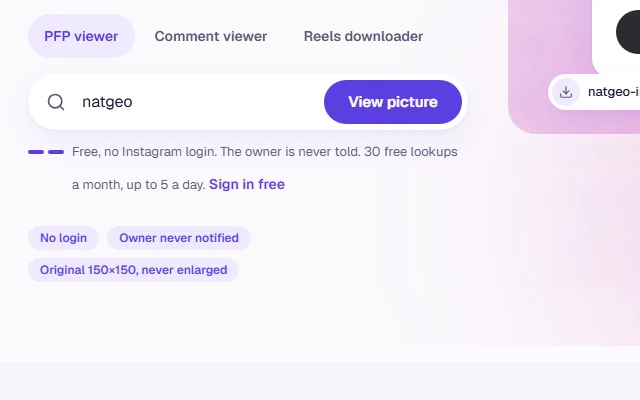
    The search box with the username natgeo typed in and the View picture button next to it
  2. 2
    Press View picture

    The picture appears at its original size, with its size in pixels underneath.

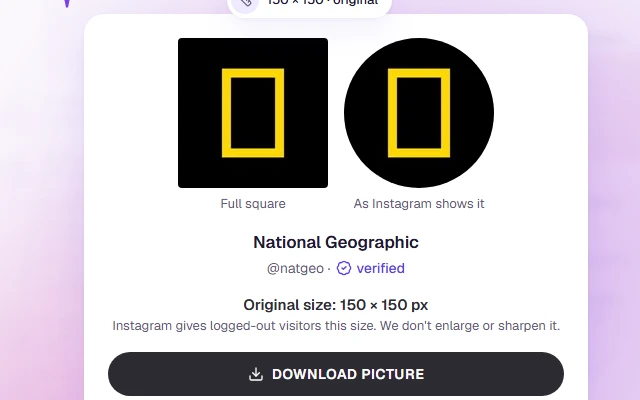
    The @natgeo result: the 150 by 150 pixel picture as a full square and as a circle, the name, and the line Original size: 150 × 150 px
  3. 3
    Press Download picture

    Your browser saves it as a JPG named after the account.

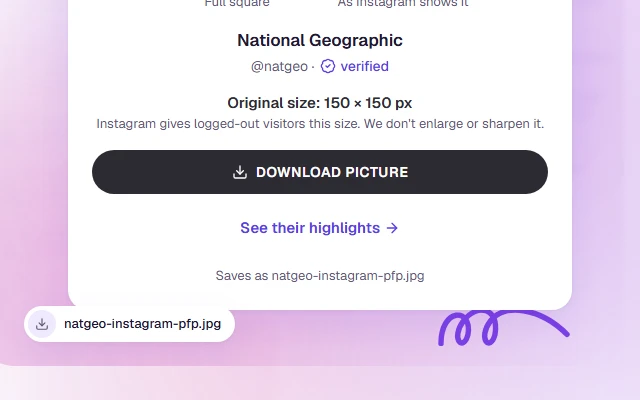
    The Download picture button and the See their highlights link, with the line Saves as natgeo-instagram-pfp.jpg under them

Under the picture you'll see the name and verified badge, so you can check it's the right person.

Sample result

What you get for @natgeo

Looked up 2026-11-16 · no login

Full square
As Instagram shows it

Shown at 1:1, never enlarged

National Geographic verified@natgeo

  • Original size150×150 pixels, as Instagram sends it.
  • FormatJPEG, about 2 to 5 KB.
  • What we changeNothing. No enlarging, no sharpening, no AI.
  • No loginOwner never notified

How big is an Instagram profile picture?

150 × 150

for anyone who isn't logged in

An Instagram profile picture is 150×150 pixels for anyone who isn't logged in. On 2026-11-16 we looked up @natgeo, @nasa and @instagram. Every picture came back as a 150×150 JPEG of 2 to 5 KB.

Instagram sends that one size to visitors without a session, and MuteView fetches pictures without one. So you get exactly the file a logged-out visitor gets.

Without a login, a picture bigger than 150 pixels usually means someone enlarged it. Enlarging makes a picture softer, not sharper. That's why this page offers no bigger version.

We looked up 53

What 53 real profile pictures looked like

We looked up 53 well-known public accounts (32 brands, 21 people) in Nov 2026. Every picture was a 150×150 JPEG, between about 1.3 KB and 9.3 KB.

  • 53/53

    150 × 150 JPEG, same for every account

  • 1.3–9.3 KB

    File size range, quick on any connection

  • ~21%

    Of the square the circle hides at the corners

Where the circle cuts

  • @starbucks® sits outside the circle
  • @legoSmall ® outside too
  • @zaraLoses a sliver
  • @cocacola · @spotifyLose nothing

The circle does cut some logos. On @starbucks the ® mark sits outside the circle, and on @lego the small ® does too.

Round logos that fill the frame, like @cocacola and @spotify, lose nothing. @zara's wordmark runs to the edge and loses a sliver.

Check your own picture with the square vs circle view above before you upload.

PFP vs DP

PFP vs DP: what the circle hides

PFP = profile pictureDP = display pictureSame tool

See the full square

PFP is short for profile picture. DP is short for display picture, the word many people in India, Pakistan and Bangladesh use. An Instagram DP viewer and an Instagram PFP viewer are the same tool.

Instagram stores your picture as a square and shows it inside a circle. A circle covers about 79% of its square, so the app hides about a fifth of the picture. Faces, logos and text near the edge get cut off.

Under each picture we show the full square next to the same picture cut as a circle, so you see what Instagram leaves out.

When a profile picture lookup helps

Picture + nameVerified badgeBefore you follow or report

Check it's the right person

Before you follow, message or report an account, match the picture and name to the person you mean, and look for the verified badge.

Brand logoCopycat accountsNear-identical picture

Check a brand's logo

See whether a shop or creator uses the real logo, and spot copycat accounts with a near-identical picture.

Your own accountSquare vs circleBefore you upload

Test your own new picture

Look up your account and compare the full square with the circle. If a face, logo or text sits near the edge, Instagram will cut it.

Privacy

Will they know you looked?

No.

MuteView loads the public profile from Instagram and sends nothing to the account you look up. It never uses your Instagram account either, so there's nothing on their side to see.

Instagram also doesn't notify anyone about profile or profile picture views.

Private accounts, gray avatars and missing pictures

Most lookups open the picture. When one doesn't, it's one of these:

  • Private account

    The picture usually shows as normal. Posts, reels and stories stay hidden, and we don't try to get around that.

  • Gray avatar

    The account never uploaded a picture, so Instagram shows its default gray silhouette. We tell you, and there's nothing to download.

  • Account not found

    The username was misspelled, changed or deleted. Search for the person in the Instagram app to find the current name.

  • Too many lookups

    Lookups are free without a login, with a fair-use limit that stops abuse. Wait a little and try again.

FAQ

Profile picture questions

What is the best Instagram PFP viewer?

MuteView is a free Instagram PFP viewer and downloader that shows any public profile picture at its original 150×150 size, with no Instagram login. For an account's highlights, use the Instagram highlight viewer.

How do I see someone's full Instagram profile picture?

Type their username above and press View picture. You get the picture uncropped as a square, at the size Instagram gives logged-out visitors (150 × 150 px in our tests), and you can save it as a JPG.

Can I download an Instagram profile picture?

Yes. Press Download picture under the result and your browser saves a 150×150 JPG named after the account. The same button works as an Instagram profile pic downloader and DP downloader.

Is there an HD or full-size version?

No, Instagram gives logged-out visitors only the 150×150 picture. A bigger picture from a tool with no login has usually been enlarged. For a sharper copy, ask the person for the original.

Can I zoom in on a profile picture?

You can zoom your browser, but it adds no detail. A 150-pixel picture turns blurry when enlarged, so we show it at its real size.

All 14 questions →
Will they know I viewed their profile picture?

No. We send nothing to the account, and Instagram doesn't notify anyone about profile views.

Can I see a private account's profile picture?

Usually, yes. Instagram shows the picture of a private account to everyone. Its posts, reels and stories stay hidden.

Is an Instagram DP viewer the same as a PFP viewer?

Yes. DP means display picture and PFP means profile picture. Both names describe the same picture.

Is it free, and do I need to log in?

It's free, and you never log in to Instagram or give us your password. Some tools allow only one or two free profile picture downloads a day, while we only use a fair-use limit per connection. A free MuteView account also keeps a history of your lookups.

Why is the profile picture gray or missing?

A gray silhouette means the account never set a picture. A missing picture usually means the username changed or the account was deleted.

Can I reuse someone's profile picture?

Downloading a public picture doesn't give you the right to reuse it. Ask the owner before you post it elsewhere or use it commercially.

Can I see someone's old profile picture?

No. Instagram keeps one profile picture per account, so we can only show the current one.

Does it work on iPhone and Android?

Yes. It runs in your browser, so there's nothing to install. The downloaded JPG goes to your browser's downloads.

Can I see their story or followers?

No. This page shows the profile picture only.

More Instagram tools

Instagram Highlight Downloader· Save a whole highlight as a ZIP.
Save Reel audio· Save the audio of a Reel as an MP3 file.
Instagram Reels Downloader· Save a public Reel as MP4 with sound.
Instagram Comment Viewer· Read and save the comments on a public post.
View

Free Instagram highlight viewer online

Watch public highlights with their dates, without an account.

Sign in and keep every profile you check

Free, no card. Your history keeps each profile picture you looked up.

Without an account

Free

  • Look up and download public posts
  • Nothing saved after you close the tab

Free account

Free · no card needed

  • 30 lookups a month
  • History of everything you open, with Open again
  • Share links that don’t expire