
What is a 4:5 aspect ratio in pixels?
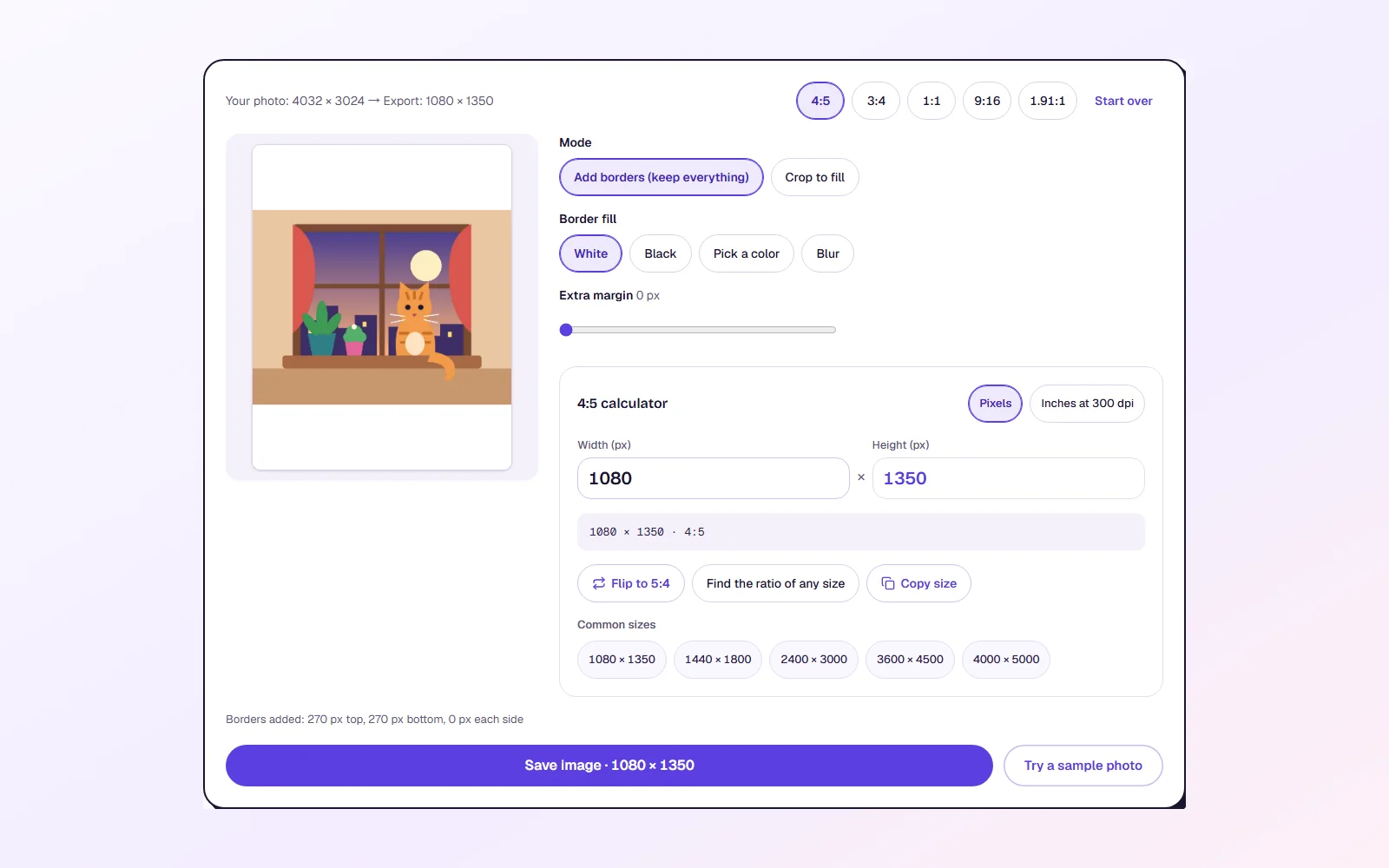
1080 × 1350 px at Instagram's 1080 px width. Any size where width ÷ height = 0.8 is 4:5.
A 4:5 aspect ratio is a portrait shape 4 parts wide by 5 tall, so any width times 1.25 gives the height: 1080 × 1350 px on Instagram.
Fit any photo to 4:5 for Instagram without cropping, or work out any 4:5 size in pixels or inches.
Type a width or a height to get the other side, or drop in a photo and add white, black, colored or blurred borders. You can also switch to 3:4, 1:1, 9:16 or 1.91:1.
4:5 at 1080 px wide is 1080 × 1350 px. The tallest feed photo Instagram lists is 3:4 (1080 × 1440), per the Instagram Help Center, checked Nov 26, 2026.
4032 × 3024
Drop a photo to fit, or choose a file
JPG, PNG, WebP or HEIC, up to 20 MB
Type one side and the calculator fills in the other, keeping the shape at exactly 4:5. It also works the other way: enter any width and height to find their ratio.
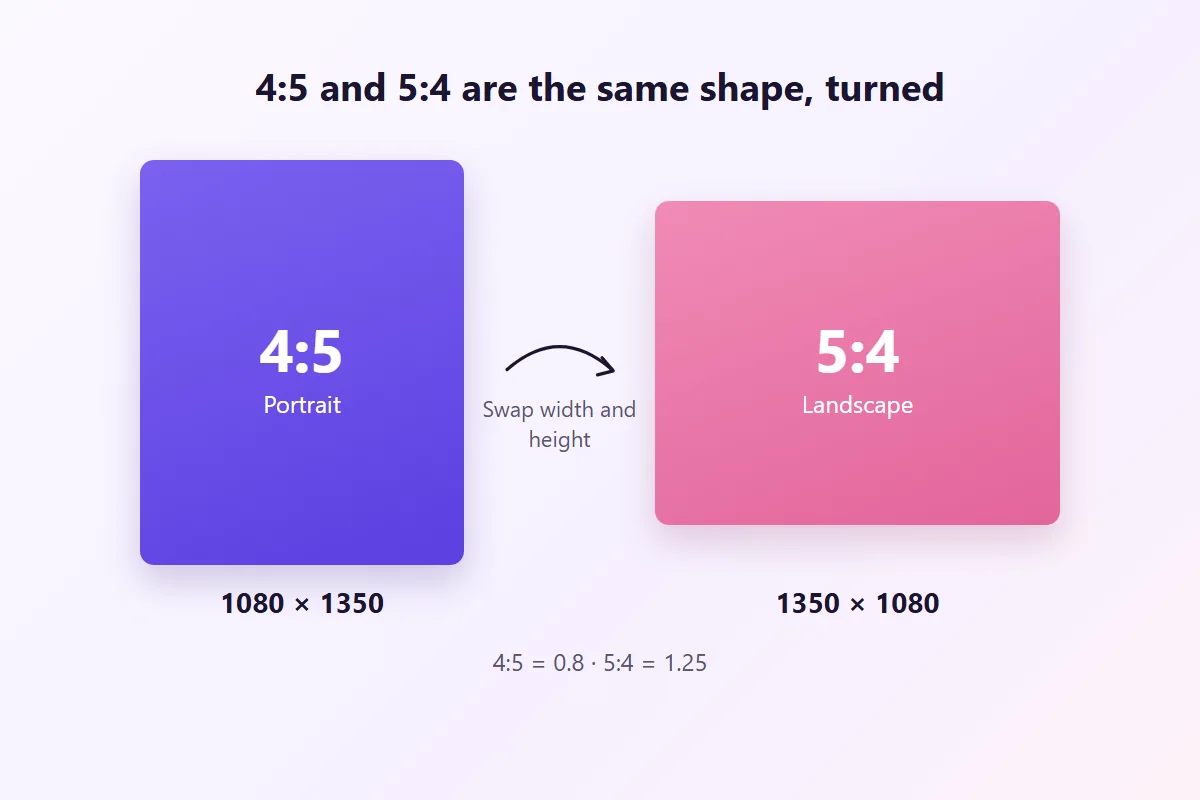
Decimal ratios help too: 4:5 is 0.8, and 5:4 is 1.25.
1200 × 1500 · 4:5
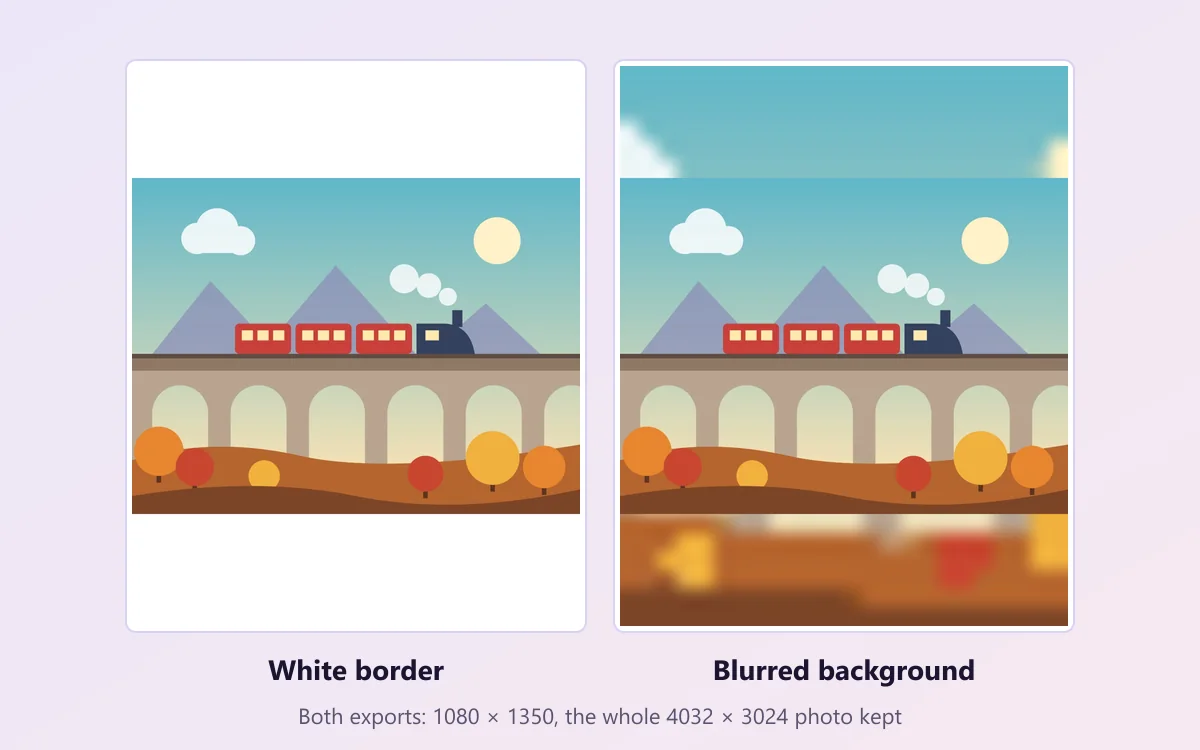
We fitted one 4032 × 3024 landscape photo into four ratios at 1080 px wide. The photo itself shows at 1080 × 810 px every time, and only the borders change.
| Ratio | Export size | Border above and below |
|---|---|---|
| 1:1 | 1080 × 1080 | 135 px each |
| 4:5 | 1080 × 1350 | 270 px each |
| 3:4 | 1080 × 1440 | 315 px each |
| 9:16 | 1080 × 1920 | 555 px each |
The taller the ratio, the more border you add, so 4:5 is a middle ground between a square and a story.
Updated Nov 2026
1080 × 1350 px at Instagram's 1080 px width. Any size where width ÷ height = 0.8 is 4:5.
No. The Help Center lists 3:4 (1080 × 1440) as the tallest. Many guides still say 4:5.
Yes. 8 × 10 inches reduces to 4:5, so an 8 × 10 print and a 1080 × 1350 post share one shape.
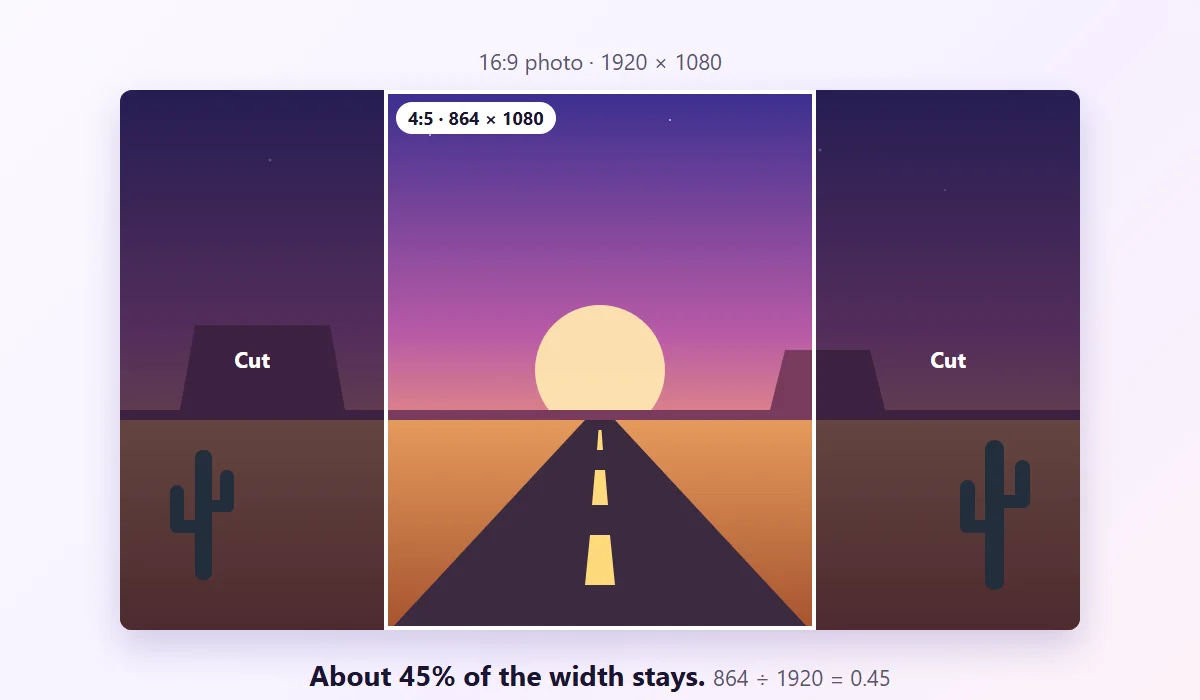
About 45% of the width, if you crop. A 1920 × 1080 frame keeps 864 × 1080.
Add borders so it fits a ratio Instagram accepts, such as 4:5 or 3:4, then post it.
The same 4:5 shape turns up on social apps, in print shops and in some cameras. The table groups the sizes you are most likely to need, with the 3:4 Instagram size for comparison.
| Group | Use | Size | Note |
|---|---|---|---|
| Social | Instagram portrait post | 1080 × 1350 px | 4:5 at the width Instagram keeps |
| Social | Meta feed ads, recommended | 1440 × 1800 px | From the Meta Ads Guide |
| Social | Instagram tallest feed photo (3:4, for comparison) | 1080 × 1440 px | Not 4:5; from the Help Center |
| 8 × 10 in at 300 dpi | 2400 × 3000 px | ||
| 12 × 15 in at 300 dpi | 3600 × 4500 px | ||
| Camera | 20 MP in a 4:5 crop | 4000 × 5000 px |
Print sizes are inches times 300, the usual dots per inch for photo prints. Ask your print shop if they use a different dpi.
Every row below is an exact 4:5 size, so you can pick by how sharp the image has to be. All sizes are worked out from the ratio.
| Tier | Width | Height | Pixels |
|---|---|---|---|
| Small | 360 | 450 | 360 × 450 |
| Small | 480 | 600 | 480 × 600 |
| Medium | 720 | 900 | 720 × 900 |
| 1080 | 1350 | 1080 × 1350 | |
| Large | 1440 | 1800 | 1440 × 1800 |
| Extra large | 2160 | 2700 | 2160 × 2700 |
For Instagram, 1080 × 1350 is enough, because wider photos are sized down to 1080 px. Larger sizes are for print or for editing headroom.
Cropping a wide photo to 4:5 throws away most of its width. A 16:9 frame keeps only about 45% of its width, and a 3:2 frame keeps about 53%.
That is why this tool adds borders by default. The whole photo stays in, and you choose what fills the space.
Yes. The calculator and resizer run in your browser, with no sign-up, no blurred preview, no watermark and no ads.
No. Your photo is padded and saved in your browser. Nothing is sent to our server.
Each export is one JPG at the width Instagram keeps, in the ratio you picked. The table lists every detail of the file.
| Item | Detail |
|---|---|
| File type | JPG |
| Width | 1080 px |
| Ratios | 4:5, 3:4, 1:1, 9:16, 1.91:1 |
| Fill | White, black, any color, or blur |
| Watermark | None |
| File name | beach-4x5.jpg for a photo named beach.jpg (ratio in the name) |
Borders are added around the photo, not on top of it. The photo itself keeps the size it had at 1080 px wide.
The resizer changes the frame around your photo, not the photo itself. Here is what it leaves out, why, and what to do instead.
| Item | Why | What to do instead |
|---|---|---|
| Fill borders with new scenery | It doesn't generate new image content | Use blur or a plain color |
| Add detail to a small photo | Enlarging doesn't create new pixels | Start from the original camera file |
| Fit video | It reads photos only | Use a video editor |
| Post for you | It has no access to your account | Save the file, then post it |
| Check every Instagram ratio at once | It fits one ratio at a time | Use the post ratio checker |
If you need a crop instead of borders, switch the mode to Crop to fill and drag to choose what stays.
There are three common ways to get a photo to 4:5. The table compares them on the points that decide whether your photo keeps every edge.
| MuteView | Typical photo-fit tools | Posting straight in Instagram | |
|---|---|---|---|
| 3:4 option | Yes | Rarely offered | Accepted, inside the photo range |
| Size calculator on the same page | Yes | Some sites, without a resizer | No |
| Blur background | Yes | Some tools | Not offered for feed posts |
| See the full result without an account | Yes | Some blur it until you sign up | Not applicable |
| Keeps every edge of the photo | Yes, with borders | Yes, with borders | Crops photos outside the range |
A calculator gives you numbers, and a resizer gives you a file. This page does both, so you don't have to copy sizes between tools.
Every row links to the page it comes from or shows the arithmetic. The Help Center text sets the range that 4:5 sits inside.
| What | Value | From | Checked |
|---|---|---|---|
| Feed photo ratio range | 1.91:1 to 3:4 | Help Center | Nov 26, 2026 |
| 4:5 at 1080 px wide | 1080 × 1350 | Inside the Help Center range | Nov 26, 2026 |
| 3:4 at 1080 px wide | 1080 × 1440 | Help Center | Nov 26, 2026 |
| Photo outside the range | Cropped to a supported ratio | Help Center | Nov 26, 2026 |
| Feed ads, recommended | 4:5, 1440 × 1800 | Meta Ads Guide | Nov 26, 2026 |
Many photo-fit tools still describe 4:5 as the tallest feed ratio. The Help Center text reads "between 1.91:1 and 3:4", so 4:5 is one option, not the limit.
Choose a photo.
Keep 4:5, or pick 3:4, 1:1, 9:16 or 1.91:1.
Leave Add borders on so nothing is cut.
Pick a fill: white, black, a color or blur.
Press Save image. The file is 1080 px wide.
Width is 4 parts and height is 5 parts. 1080 × 1350, 1440 × 1800 and 2400 × 3000 are all 4:5.
Multiply the width by 1.25 to get the height, or the height by 0.8 to get the width.
They are the same shape turned on its side. 4:5 is portrait, like 1080 × 1350. 5:4 is landscape, like 1350 × 1080.
Fit the photo to a ratio between 1.91:1 and 3:4 before you post. Adding borders here keeps every edge.
Pick 4:5 or 3:4, choose Add borders, and save. The file is 1080 px wide, the width Instagram keeps.
Yes, for a 4:5 poster. For a taller poster, use 3:4 at 1080 × 1440.
8 × 10 inches is 4:5, which is 2400 × 3000 px at 300 dpi. 12 × 15 inches is 3600 × 4500 px.
Small photos get enlarged and every upload is processed. Start with a photo at least 1080 px wide, and turn on Upload at highest quality under Your app and media, then Media quality.
Pricing
2 lookups a day signed out; a free account gets 30 a month, up to 5 a day. Pro adds 200 lookups a month; lookup packs never expire.
$5.99/ month