0:11 – 0:36 · 0:25 / 0:59.9
Save cut as M4ASave cut as MP3Trim the part you want
Drag the two handles on the waveform to keep only the part you need, play it back, and save the cut as M4A or MP3.Also on every result:
Free · No Instagram login · M4A or MP3
Paste a public Reel link and MuteView pulls out its sound track. Keep it as the original M4A file Instagram plays, or as an MP3 that works everywhere. Before you download, you see what the sound is: a licensed song from Instagram's music library, or original audio recorded by a creator.
Try:

Original audio
@nasa
Artemis III and IV update, 1:00 of original audio
Sample: the sound of a public Reel, @nasa · We are not slowing down.
One public @nasa Reel, read from the M4A file Instagram serves. Every result shows these facts before you save it.
@nasaOriginal audio · M4AChoose a format
Downloading is free.
Sample: the sound of a public Reel, @nasa · We are not slowing down.
0:11 – 0:36 · 0:25 / 0:59.9
Save cut as M4ASave cut as MP3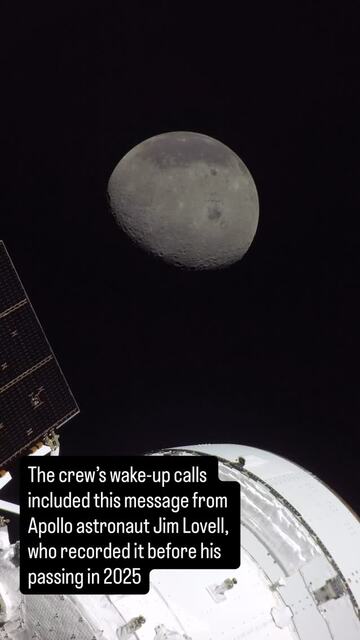
A highlight's clips as one ZIP, a merged video or a poster.
Instagram Highlights DownloaderIf Instagram shows "Audio not available" on a Reel, the song was pulled over a rights claim or isn't licensed in your country. A pulled song leaves the Reel muted, with nothing to download; paste the link and the result tells you whether a track is there.
No sound track
The Reel has been muted by Instagram, usually over a music rights claim, or it was posted without sound. There is nothing to download; try another Reel that uses the same sound.
The file lands where your browser saves downloads.
Reels work, and so do video posts Instagram files as Reels. Story and highlight links don't: paste a Reel link instead.
Reel (instagram.com/reel/…): yes, its sound track as M4A or MP3.
Video post (instagram.com/p/…): yes when Instagram files it as a Reel, as it does for most videos posted since 2022. An older video post may come back without a sound track.
Story (instagram.com/stories/…): no. The link is refused before any lookup, so nothing is used.
Highlight (instagram.com/stories/highlights/…): no, for the same reason. The Instagram Highlights Downloader saves highlight clips as MP4 files with their sound.
Private accounts, photo posts and profile links: no. Private posts show only to approved followers, and a photo has no sound.
Private account
This Reel is from a private account, so its sound is not available.
Copy the Reel link, paste it into MuteView, choose MP3 and download. The MP3 is made from the Reel's original sound track in your browser.
Yes, if the URL is a Reel or a video post on a public account: paste it, choose MP3 and download. You do not need to save the video first. Story and highlight URLs do not work.
The highest quality is the original M4A, the exact track Instagram plays: HE-AAC at 64 to 85 kbps in our tests. A "320 kbps" MP3 made from it is only bigger, not better, so we show the real numbers instead.
Not here. This page reads Reels, and highlight links are refused before any lookup. The highlight downloader saves each highlight clip as an MP4 that keeps its sound.
No. MuteView has no Chrome extension, Telegram bot or app. This web page works in any browser, and the MP3 is made right in the tab.
A Reel only includes the part of a library song the creator chose. Use the song title and artist we show to find the full track on a music service.
Songs in Instagram's music library are licensed for use inside Instagram, and original audio belongs to its creator, so save sounds for personal listening and ask the owner before reposting them. This is not legal advice.
No. Private posts are only visible to approved followers, so no website can get their audio.
No. MuteView reads the public Reel without signing in to Instagram, and the creator is not notified.
Guests get 2 free lookups a day and signed-in users get 5. Converting the same Reel to MP3 after you have looked it up does not use another lookup.
Safari saves it to the Files app, in the Downloads folder. From there you can open it in GarageBand, share it to another app, or add it to a video in iMovie.
Yes. Trim the part you want and choose Ringtone to save an M4R file of up to 40 seconds for iPhone, then add it with GarageBand or Finder. On Android, set the downloaded MP3 as a ringtone in your sound settings.
No. You only paste a public Reel link. Never enter your Instagram password on a download site.
Every result shows the facts about the sound before you save it:
Every Reel shows its sound at the bottom of the screen: a library song shows its title and artist, original audio shows "Original audio" and the account that recorded it, which may not be the account that posted the Reel. MuteView labels each result the same way, so you know before you download whether you get a short licensed clip or a full recording.
Instagram stores a Reel's sound as a separate AAC track, saved in an M4A file. In our tests of public Reels in November 2026, every track was HE-AAC at 64 to 85 kbps.
Turning that file into a "320 kbps MP3" does not add any quality: the sound was already compressed, so converting it only makes the file bigger and compresses it a second time. For the highest quality, download the M4A, untouched. Pick the MP3 for older players, some video editors and car stereos.
When a Reel uses a library song, it carries only the part the creator picked: 8 to 13 seconds in our tests. You get that clip, not the full track; use the song and artist we show to find the whole song. Original audio is whatever the creator recorded, so you get all of it.
Editors cut their own video to a Reel's sound. The M4A opens in Premiere Pro, Final Cut Pro, DaVinci Resolve, CapCut and iMovie; pick MP3 only if an editor or an older player refuses it.
Original audio is usually a full recording, such as an interview answer or a voiceover, and you get all of it to transcribe or quote. Trim the part you need first. If you plan to publish it, ask the person who recorded it.
We show a library song's title and artist before you download, which is often all you need. Original audio may have no song name to find.
To use a sound in your own Reel, you do not need a file: tap the sound name on the Reel, then Save audio, and Use audio starts a new Reel with it. Download when you need the sound outside Instagram.
MuteView is a free Instagram audio downloader: paste a public Reel link and get its sound as the original M4A or an MP3, with no Instagram login and no app.
Key facts: