Instagram Comment Viewer & Exporter

Instagram Comment Viewer & Exporter

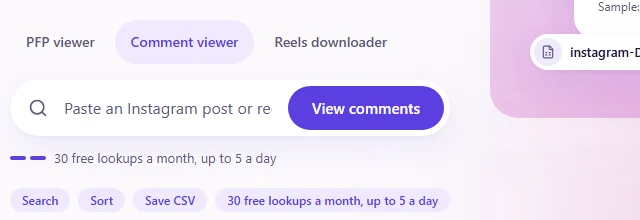
Paste an Instagram post or reel link, or type a username, and read its public comments. Search them, sort them and save them as a CSV file. It needs no Instagram login, and MuteView never contacts the post owner. Open the sample post below to see real comments before you paste anything.

30 free lookups a month, up to 5 a day
  • Search
  • Sort
  • Save CSV

Free to try · no Instagram login

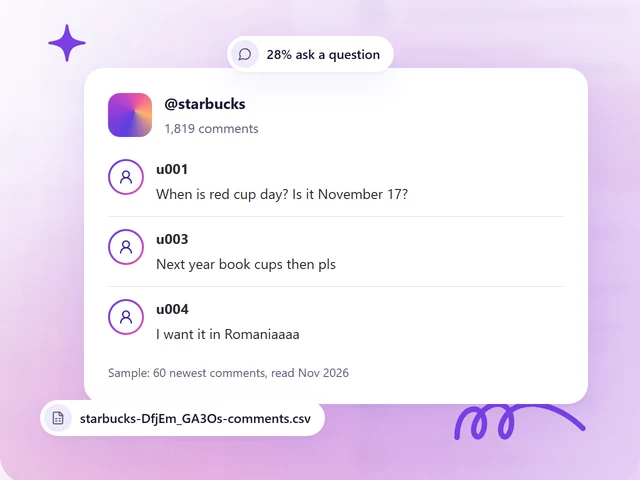
@starbucks1,819 comments
  • u001When is red cup day? Is it November 17?
  • u003Next year book cups then pls
  • u004I want it in Romaniaaaa

Sample: 60 newest comments, read Nov 2026

Sample result

See it on a real post

Sample: 60 newest comments, read Nov 2026 · 28% questions · 20% mentions · 7% emoji only

This sample is a public post from @starbucks. We read its 60 newest comments over five pages, written by 56 different people. 28% of them ask a question, 20% mention someone and 7% are only emoji.

The cards beside your results recount as you load more pages, so your numbers will move as the list grows.

What you get for a @starbucks post

  • u001Nov 16, 2026

    When is red cup day? Is it November 17?

  • u002Nov 16, 2026

    @someone

  • u003Nov 16, 2026

    Next year book cups then pls

  • u004Nov 16, 2026

    I want it in Romaniaaaa

  • u005Nov 16, 2026

    😍😍😍

  • u006Nov 16, 2026

    So cute

  • u007Nov 16, 2026

    😍😍

  • u008Nov 16, 2026

    The ski goggles and ear muffs are my favs!

  • u009Nov 16, 2026

    I need one 😢

  • u010Nov 16, 2026

    I need it bad @someone 😩🥹

  • u011Nov 16, 2026

    make the sugar cookie matcha a permanent drink 🙏🏽🙏🏽🥹🥹

  • u012Nov 16, 2026

    wishhh i could get some

  • u012Nov 16, 2026

    my dream is joy

  • u012Nov 16, 2026

    omggg so cute. i would lovee to find some

  • u013Nov 16, 2026

    Our legal department has advised us not to comment on the bear.

  • u014Nov 16, 2026

    Day 4 of asking for the 80’s playlist to return

  • u015Nov 15, 2026

    @starbucks I can whole heartedly say that this was the most disappointing release of all. Every time you release these special items, they sell out in 15 minutes, or the store "never got them", or somehow people got 10 of them to sell on ebay for $100s of dollars. First the snoopy, then the halloween, now the bears. I buy a SIGNIFICANT amount of Starbucks. And these items are impossible to get. How about something new? How about a lottery? Pick rewards numbers and mail them out. I'm sure those who win would pay shipping! Something has to change because at this rate, you are driving customers away.

  • u015Nov 15, 2026

    @someone I SEE YOU 😂 don't like this!!!

  • u016Nov 15, 2026

    Christmas season ✝️🎅✝️🇺🇸

  • u017Nov 15, 2026

    @someone quand arrivent ils en France 🇫🇷 !???????? Please

  • u018Nov 15, 2026

    Oh cute ❤️

  • u019Nov 15, 2026

    I really want one :(

  • u020Nov 15, 2026♥ 6

    Why don’t you serve any Xmas drink? Did you stop celebrating Xmas in the US?

  • u021Nov 15, 2026

    Bring back the impossible sandwich :(

  • u022Nov 15, 2026

    Olha isso aqui @someone

  • u022Nov 15, 2026

    🎄🥰🧸

  • u023Nov 15, 2026

    Gostaria muito de ganhar um copo desse😍

  • u024Nov 15, 2026

    Are the mystery boxes going to be restocked?

  • u025Nov 15, 2026

    @starbucks Do reserve members have any benefit of buying the bear cup before dec 1st?

  • u026Nov 15, 2026

    You fail your customers all the time. Creating rarity because you know you can sell it but not for everyone. Annoying. You never listen and don’t care. As we can tell you respond to the positive comments but never the negative. Bring more bears for people who want and bring back chestnut praline. Cowards

  • u027Nov 15, 2026

    ❤️

  • u028Nov 15, 2026

    So. . .your whole business model seems to have pivoted to just being a disappointment. That's. . .unique.

  • u029Nov 15, 2026

    Anyway, please make the chocolate cake frappe a regular menu item

  • u030Nov 15, 2026

    Will there be another launch of the holiday collection?

  • u031Nov 15, 2026

    This Season enjoy Matcha Frappuccino with @someone

  • u032Nov 15, 2026

    When will we get them in France? 🇫🇷 🙏🏼🥰

  • u033Nov 15, 2026

    I hope next year you don’t bring out the tiramisu drink because it doesn’t compare to the chestnut praline

  • u034Nov 15, 2026

    will they drop again?😭

  • u035Nov 15, 2026♥ 4

    It’s Christmas time, remember Christ

  • u036Nov 15, 2026♥ 1

    The year stamped on their foot is a hideous design. Should put it on the bottom.

  • u037Nov 15, 2026

    It would be amazing if Starbucks put more stock in stores, or restocked faster. They practically lose sales, because I believe that as long as the cups are available, many people will buy them, thus limiting these resellers to the absurd prices they set.

  • u038Nov 15, 2026♥ 4

    It’s not a holiday it’s Christmas .

  • u039Nov 15, 2026

    Where can I find these? I tried searching but I couldn’t find them.

  • u040Nov 14, 2026

    When you tell ya bestie you want a cup but she ain’t got no money 😂 @someone so she tell you she can’t find them they outta stock 😮

  • u041Nov 14, 2026

    @starbucks Was on a cruise when my cup came in, just opened it. I got GOLDIE!! ⭐️🐻 Yayy!!

  • u042Nov 14, 2026

    Im hoping to get one this year💙 like Starbucks let me start being being an influencer with yall products 😩💯

  • u043Nov 14, 2026

    Can we please make a 20oz drink option so we can order with a personal cup in store?! 🙏🏽 I really hate that I have to choose either losing out on 4 oz of drink or leaving 4 oz of the cup empty. Even ordering a venti and pouring it myself, I’d rather order with my personal cup and earn those rewards. Please look into this @starbucks ! 🗣️🙏🏽✨

  • u044Nov 14, 2026

    Chestnut praline when?

  • u045Nov 14, 2026

    Manda para o Brasil

  • u046Nov 14, 2026

    Omw!🧸☕️

  • u047Nov 14, 2026

    Restock this collection !

  • u048Nov 14, 2026

    Will you restock???

  • u049Nov 14, 2026

    @starbucks, bring back Chestnut Praline!! 🤎 Everywhere I go, people are asking for it. At least sell us the syrup! Who else wants it back?! ☕️🙋‍♀️

  • u050Nov 14, 2026

    @

  • u051Nov 14, 2026

    no more impossible breakfast sandwiches??? this was my favorite breakfast item as a vegetarian 😩

  • u052Nov 14, 2026

    Please republica Checa

  • u053Nov 14, 2026

    maybe send more to my store so i don’t have customers literally cussing at me and calling 12 times a day

  • u054Nov 14, 2026

    Is this available in Germany? 🥹

  • u055Nov 14, 2026

    Warszawa ?

  • u056Nov 14, 2026

    日本にあるかな

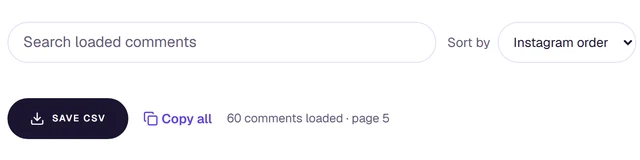
60 comments loaded · page 5
About these comments

Questions

28%

17 of 60

Emoji only

7%

4 of 60

Mentions

20%

12 of 60

Top commenters

  • @u0123
  • @u0152
  • @u0222

Frequent words

  • cup 5
  • bring 4
  • chestnut 4
  • don 4
  • drink 4
  • people 4
  • praline 4
  • want 4
  • year 4
  • back 3

Counted from the comments you have loaded

More than scrolling

Search, sort, copy and save comments

An Instagram comment viewer shows the public comments on a post without opening Instagram. MuteView is a free Instagram comment viewer and exporter with search, sort, copy, CSV export and three comment counts.

Highlights matches3 sort ordersIn your browser

Search and sort

Search: Type a word to filter the comments you have loaded.

Sort: Choose Newest, Oldest or Most liked. New comments have had little time to collect likes, so Most liked helps most on older posts.
UTF-8, opens in Excel5 columnsLoaded pages

Copy and save

Copy: Press Copy to take one comment's text.

Save CSV: Download the loaded comments as one spreadsheet file.

Latest 12 postsComment counts2 lookups

Pick a recent post

Username: Type an account name and pick one of its recent posts.

Search, sort and the three cards work on the comments you have loaded. Press Load more and they cover the new page too.

@starbucks.

How to view comments

How to view Instagram comments

  1. 1
    Step 1: Copy the post link

    In the Instagram app, open the post or reel, tap Share, then Copy link. On a computer, copy the address from your browser's address bar. Links with /p/, /reel/ or /tv/ all work. No link at hand? Type a username instead, then pick one of that account's recent posts.

    The MuteView input box with a post link pasted in
  2. 2
    Step 2: Paste it and press View comments

    The comments load on this page, up to 12 at a time. The first two pages are free.

    A list of Instagram comments with a search box above it
  3. 3
    Step 3: Search, sort or save

    Type a word in the search box, change the sort order, or press Save CSV. After page two, sign in free and press Load more for the next page.

    The toolbar with Search, Sort and Save CSV

Free and paid

What you can read for free

Reading comes in two steps, and each step has its own button.

No accountFree

Opening a post = 1 lookup, first 2 pages included. Guests read the first 2 pages; sign in free to read more.

Free accountFree

Sign in free and press Load more. Each extra page uses 1 of your 30 free lookups a month, up to 5 a day.

Quick answers

Updated Nov 2026

  • How many comments can I read for free? Opening a post is 1 lookup and includes its first 2 pages, which held 19 to 24 comments in our test. Guests read those 2 pages; sign in free to read more.
  • Do I need to log in to Instagram? No. MuteView never asks for your Instagram login.
  • Will the owner know I looked? MuteView never logs in to Instagram or contacts the post owner.
  • Can I search and save the comments? Yes. Search and sort what you have loaded, then press Save CSV.
  • Why do I see fewer comments than the count? Instagram's count can be higher than the comments it hands to a viewer. On three small posts we read 65% to 84% of the shown count.

What we found reading 297 comments

We read the newest comments on 11 posts from 7 large accounts in Nov 2026: natgeo, nasa, nike, espn, nba, redbull and starbucks. Each post had at least 200 comments, and we loaded up to five pages of each.

That gave 297 comments across 26 pages. The table below shows what those comments looked like and how each finding can help you when you read your own post.

What we measuredResultHow it helps
Comments per page7 to 12, and 12 on 20 of 26 pagesPlan on about a dozen comments for each press of Load more
Repeats between pagesNoneLoad page after page without seeing a comment twice
Questions13% had a question mark, and 28% on the two starbucks postsBrands see what to answer first
Emoji onlyNearly 1 in 5The emoji card counts them for you
Mentions with @About 11%Shows how often people tag someone
LinksNone in 297 commentsNothing to filter out in this sample

These are the newest comments only, so they show how recent comments on large posts look, not every comment on a post. Posts that draw questions, like the two starbucks posts, give a brand more to answer. Treat the percentages as a picture of recent comments on big accounts, and expect different numbers on a small post.

  • Comments per page

    Result7 to 12, and 12 on 20 of 26 pages

    How it helpsPlan on about a dozen comments for each press of Load more

  • Repeats between pages

    ResultNone

    How it helpsLoad page after page without seeing a comment twice

  • Questions

    Result13% had a question mark, and 28% on the two starbucks posts

    How it helpsBrands see what to answer first

  • Emoji only

    ResultNearly 1 in 5

    How it helpsThe emoji card counts them for you

  • Mentions with @

    ResultAbout 11%

    How it helpsShows how often people tag someone

  • Links

    ResultNone in 297 comments

    How it helpsNothing to filter out in this sample

Why you can't see some comments

Instagram shows a comment count under every post. That count is often higher than the number of comments a viewer receives, because Instagram decides which comments it hands out.

We read three small posts to the very end. One showed 31 comments and we read 21, another showed 34 and we read 22, and a third showed 77 and we read 65.

That is about 65% to 84% of the shown count. The table lists what you see, the likely reason and the next step.

What you seeWhyWhat to do
Fewer comments than the countHidden, filtered and deleted comments can sit in the count, and we can't see whichMuteView can only show and search the comments Instagram returns. If one is missing, open the post on Instagram, where it may still be hidden too
A big post that never endsOne starbucks post showed 1,819 comments, and five pages still had moreSearch the loaded pages, sign in free for Load more, or sign in free and keep pressing Load more, one lookup per page
A comment you remember is goneAuthors and owners can delete commentsSave the comments to CSV while they are up

On your own posts, the comment filters in Instagram's settings are the first place to look. For anyone else's post, the loaded comments and your CSV are the record you can work from.

  • Fewer comments than the count

    WhyHidden, filtered and deleted comments can sit in the count, and we can't see which

    What to doMuteView can only show and search the comments Instagram returns. If one is missing, open the post on Instagram, where it may still be hidden too

  • A big post that never ends

    WhyOne starbucks post showed 1,819 comments, and five pages still had more

    What to doSearch the loaded pages, sign in free for Load more, or sign in free and keep pressing Load more, one lookup per page

  • A comment you remember is gone

    WhyAuthors and owners can delete comments

    What to doSave the comments to CSV while they are up

Three free checks on the comments you load

Beside your results sit three cards that count what is in the loaded comments. Each card is counted from the comments you've loaded, and it updates each time you load a page.

CardWhat it countsHow to use it
QuestionsComments with a question markAnswer these first
Emoji onlyComments with no wordsShows how light the conversation is
MentionsComments with an @ tagOften someone calling a friend over to see the post

Brands can start with the Questions card. On the two starbucks posts we read, about 28% of comments asked something, such as "When is red cup day?". Replying to those first answers the people most likely to be waiting.

  • Questions

    What it countsComments with a question mark

    How to use itAnswer these first

  • Emoji only

    What it countsComments with no words

    How to use itShows how light the conversation is

  • Mentions

    What it countsComments with an @ tag

    How to use itOften someone calling a friend over to see the post

Creators can load a few recent posts and compare them. Note which captions drew questions and which drew only emoji, then write more like the first kind.

Both groups can press Save CSV afterwards and keep the counts next to the comments they came from.

see the three cards on @starbucks.

Export Instagram comments to CSV

An Instagram comment exporter saves comments in a file you can sort, filter and share. Press Save CSV and your browser downloads the loaded comments as one CSV file. Each row is one comment.

ColumnWhat it holds
textThe comment, for example "When is red cup day?"
usernameThe public username of the commenter
created_atWhen the comment was posted
like_countHow many likes the comment had
post_urlThe link of the post, the same on every row

Signed-in accounts can keep loading pages; each page uses one lookup. Exports cover the pages you have loaded, and both files use the same five columns.

Cells that start with = + - or @ get a leading apostrophe so spreadsheets don't run them as formulas.

Emoji can show as odd characters if you double-click the file in Excel. To fix that, open Excel and choose Data, then From Text/CSV, and set the file origin to UTF-8. In Google Sheets, choose File, then Import, then Upload, and emoji display as they should.

How many comments you read for free

Opening a post is 1 lookup and includes its first 2 pages, so guests read them with no sign-in. In our test they held between 19 and 24 comments, counted on five large posts in Nov 2026.

Two other comment viewers we checked in Nov 2026 show 15 comments per post for free. Here you can keep going with a free sign-in and Load more, and nothing connects to your own Instagram. Signed-in accounts can keep loading pages; each page uses one lookup.

What this viewer can't show

Reading public data means seeing what Instagram shows the public. That sets a few limits for any viewer that works without your Instagram login, and each limit comes with a next step.

Not shownWhyWhat to do
Reply textThe list holds top-level comments onlyOpen the comment on Instagram to read its replies
Commenter photosThe data we get has no profile picturesOpen the username on Instagram
Private postsOnly approved followers can see those commentsWe show the publicly readable part, so use a public post
Hidden or deleted commentsInstagram doesn't return themOpen the post on Instagram, or save the comments to CSV while they are up

Everything else on the post, such as the text, username, date and likes, comes through and goes into your CSV.

  • Reply text

    WhyThe list holds top-level comments only

    What to doOpen the comment on Instagram to read its replies

  • Commenter photos

    WhyThe data we get has no profile pictures

    What to doOpen the username on Instagram

  • Private posts

    WhyOnly approved followers can see those comments

    What to doWe show the publicly readable part, so use a public post

  • Hidden or deleted comments

    WhyInstagram doesn't return them

    What to doOpen the post on Instagram, or save the comments to CSV while they are up

Who reads comments this way

  • Brand social teams: Load a launch post, check the Questions card and reply to those comments first, before the thread moves on.
  • Creators: Load your last few posts, search for a word like "tutorial" and see which posts drew requests. Then plan your next post around the most common request.
  • Researchers and marketers: Save a post's comments as CSV, then sort and tag them in a spreadsheet.

Want to know who tagged a friend? Load the post and the Mentions card counts the comments with an @ tag, so you can see how many there are.

Will they know you read them?

MuteView never logs in to Instagram or contacts the post owner. It fetches the public post itself, so your own Instagram account is not involved.

Opening the same page of comments again within 30 minutes uses no lookup. You can come back to a post without spending your free ones.

FAQ

What is the best Instagram comment viewer?

An Instagram comment viewer is a tool that shows a post's public comments from its link, in a browser, without logging in. MuteView is a free Instagram comment viewer and exporter. It offers search, sort, copy, CSV export and three comment counts.

How do I view Instagram comments without an account?

Copy the post link, paste it above and press View comments. The comments load on the page, so you don't need an Instagram account or an app.

Can I see comments on a private account's post?

No. Only approved followers can see those comments, and MuteView reads public posts only.

Why can't I see comments on Instagram?

Usually the owner turned comments off or limited them to followers, or Instagram hid comments it flagged. On a public post with comments on, MuteView shows the comments a logged-out visitor can load; hidden or deleted comments don't appear anywhere.

Can you read Instagram comments without an account?

Yes, on public posts. Paste the post link above and the comments load without an Instagram login. The post owner isn't notified.

Show all 16 questions
Can you see comments on a private account's posts?

No. Only approved followers can see a private account's posts and comments, and MuteView doesn't open them.

Will the owner know I looked?

MuteView never logs in to Instagram or contacts the post owner.

Can I search the comments on an Instagram post?

Yes. Type a word in the search box and the loaded comments filter as you type. Load more pages to search further.

Can I export Instagram comments to Excel or CSV?

Yes. Press Save CSV and open the file in Excel or Google Sheets. If emoji look wrong in Excel, import the file and choose UTF-8.

Can I download all the comments on a post?

You can save every comment you have loaded. Signed-in accounts can keep loading pages; each page uses one lookup.

How many comments can I see for free?

Opening a post is 1 lookup and includes its first 2 pages, which held 19 to 24 comments in our test. Guests read those 2 pages; sign in free to read more. With a free sign-in you get 30 lookups a month, up to 5 a day, and each extra page uses one.

Can I see deleted Instagram comments?

No. Once a comment is deleted, Instagram no longer hands it out. Save a post's comments to CSV while they are still up.

Can I see replies to a comment?

Not the reply text. The list holds top-level comments, so open the comment in Instagram to read its replies.

Can I read comments on a reel?

Yes. Paste the reel's link the same way you paste a post link. Links with /reel/ in the address work, and the comments load on this page.

Why do I see fewer comments than Instagram shows?

Instagram's count can be higher than the comments it returns. MuteView shows and searches what Instagram returns, so open the post on Instagram if one is missing.

Does it work on a phone?

Yes. It runs in your browser on a phone or a computer, so there is no app to install. Copy the post link in the Instagram app and paste it here.

More Instagram tools

Instagram Highlights Downloader· Save a whole highlight as a ZIP.
Download audio from an Instagram Reel· Save the audio of a Reel as an MP3 file.
Download Instagram Reels· Save a public Reel as MP4 with sound.
Instagram DP Viewer· See any public profile picture at full size.
View

Instagram highlight viewer anonymous

Watch public highlights with their dates, without an account.

Sign in and read more comments

Free, no card. 30 lookups a month, and your history keeps each post you opened.

Without an account

Free

  • 2 lookups a day
  • Look up and download public posts
  • Nothing saved after you close the tab

Free account

Free · no card needed

  • 30 lookups a month, up to 5 a day
  • History of everything you open, with Open again
  • Share links that don’t expire