Free
$0- 2 lookups a day signed out; signed in, 30 a month, up to 5 a day
- Single-post downloads are free
- ZIP up to 20 images
TikTok · MP3
This TikTok to MP3 tool saves the sound of any public TikTok video as MP3 or M4A, as TikTok serves it, plus its cover image.You download the sound only, with no video. If a video has no sound we can save, the result says so and what to try next.
Looking up a video is free. Each audio download uses one lookup. No ads.
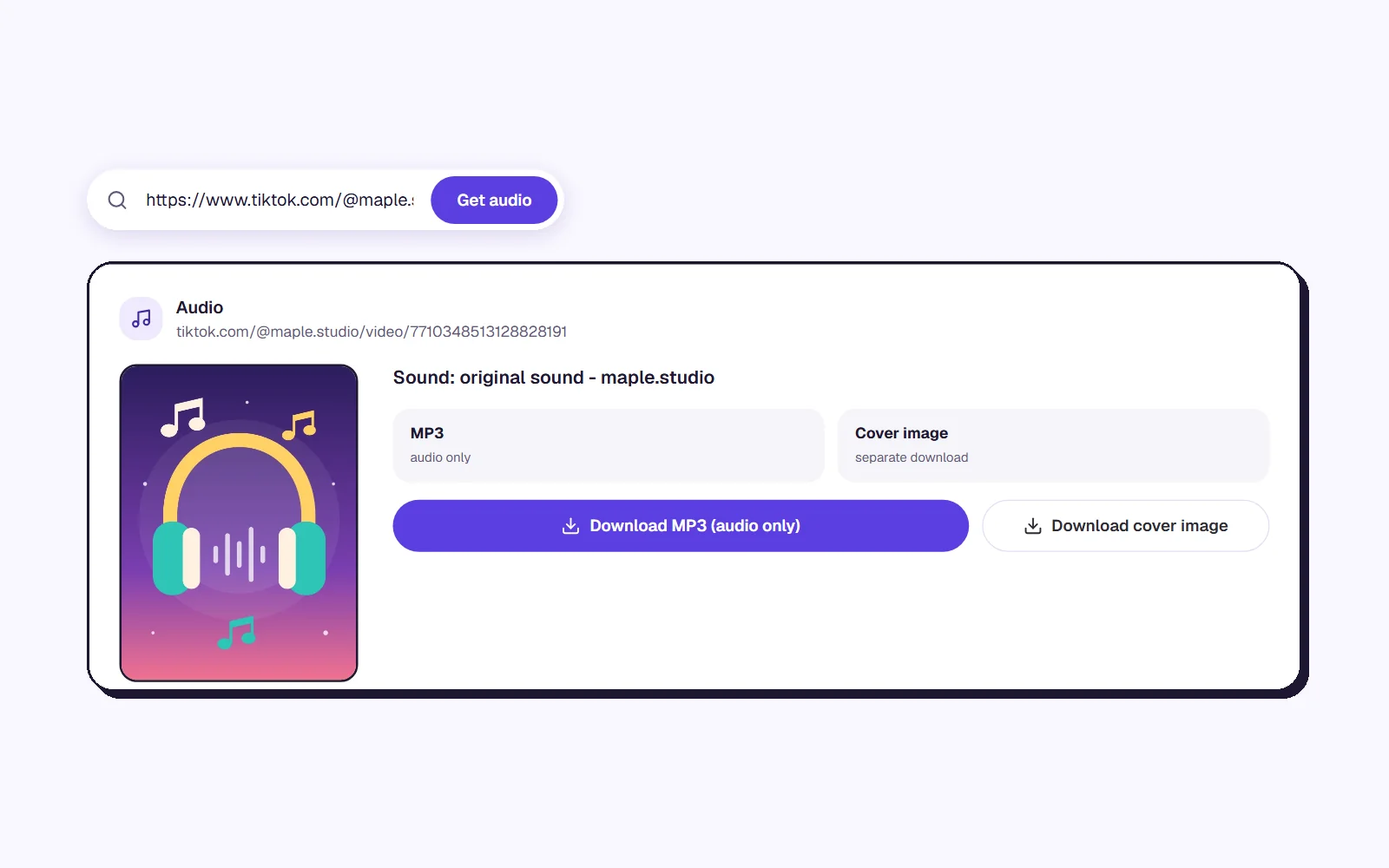
Checked Nov 26, 2026 · 3 public videos
On Nov 26, 2026 we looked up three public TikTok videos. All three came back with a sound track, 3 out of 3.
Updated Nov 2026
Copy the link in TikTok, paste the full video link here, press Get audio, then press Download audio. You don't need to save the video first.
It's MP3 or M4A, as TikTok serves it, so it isn't converted again.
Yes. Photo posts carry a sound track too, and both photo posts we checked returned one.
The song was removed over copyright, the creator deleted their original sound, or the music isn't offered for download.
No. Paste a public link. We never ask for your TikTok password.
In TikTok, tap Share on the video, then Copy link.
Paste the full video link here and press Get audio. If Copy link gives you a short vm.tiktok.com link, open it in your browser and copy the full link from the address bar.
Press Download audio. Press Download cover if you want the cover image too.
Each result gives you the sound as MP3 or M4A, as TikTok serves it, and the cover as an image. The table lists every detail of the files.
| Item | Detail |
|---|---|
| Sound | The sound used in the post, as TikTok serves it |
| File type | MP3 or M4A, as TikTok serves it |
| Cover image | The video's cover, as a separate download |
| Watermark | None |
| File name | nasa-7301234567890123456.mp3 or .m4a for a video posted by @nasa |
We don't re-encode the sound, so it keeps the quality TikTok stored. A higher bitrate label wouldn't add quality the file doesn't have.
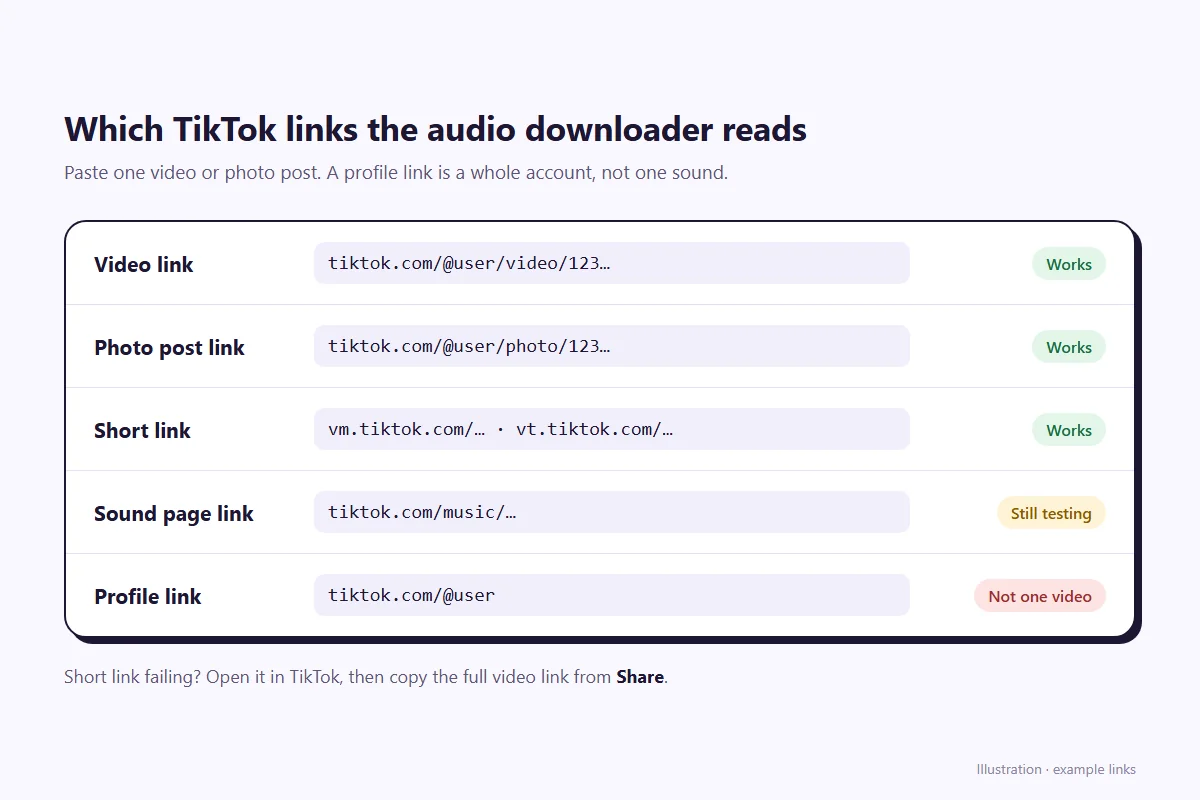
The box reads several kinds of TikTok link. The table shows each one and whether it works.
| Link | Example | Works? |
|---|---|---|
| Video link | tiktok.com/@user/video/123… | Yes, 3 of 3 in our check |
| Photo post link | tiktok.com/@user/photo/123… | Yes, 2 of 2 in our check |
| Short link | vm.tiktok.com/… or vt.tiktok.com/… | Not yet: open it in your browser and paste the full link |
| Profile link | tiktok.com/@user | No, it isn't one video |
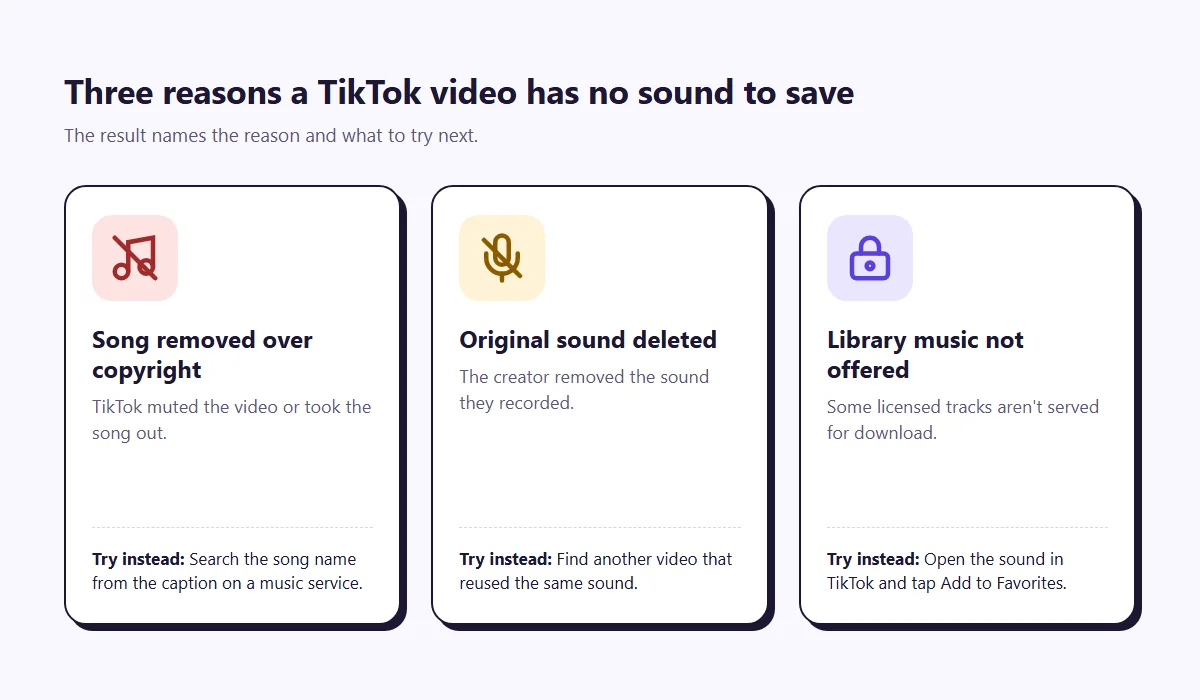
Most public videos return a sound, but three kinds don't. The table shows each case, what the result tells you, and what to try instead.
| Case | What happened | What to try instead |
|---|---|---|
| Song removed over copyright | TikTok muted the video or took the song out | Find the song name in the video caption and search a music service |
| Original sound deleted | The creator removed the sound they recorded | Look for another video that reused the same sound |
| Library music not offered | Some licensed tracks aren't served for download | Open the sound in TikTok and tap Add to Favorites |
| Private or deleted video | Only approved followers can see it, or it's gone | Ask the creator, or try a public video |
These causes come from how TikTok handles sounds, not from a count we ran ourselves.
The audio file lands wherever your browser saves downloads, the same as any other file. The table lists the usual folder on each device.
| Device | Where to find it |
|---|---|
| iPhone and iPad (Safari) | Files app, Downloads folder |
| Android (Chrome) | Files or My Files app, Download folder |
| Mac | Downloads folder in Finder |
| Windows | Downloads folder in File Explorer |
On iPhone, open the file from Files to play it or share it to another app. Safari doesn't add it to the Music app.
These checks come from our own lookups of public TikTok videos. Each row says what the result means when you save a sound.
| What we tested | Result | Why it matters to you |
|---|---|---|
| Sound track on 3 public videos, Nov 2026 | 3 of 3 had one | Public videos usually return a sound |
| File type of the sound | MP3 or M4A, as TikTok serves it | You get a sound file, not a renamed video |
| Sound track on 2 photo posts | 2 of 2 had one | Photo posts work too |
The first three rows were checked on Nov 26, 2026.
Looking up a video is free, and so is the cover. Each audio download uses one lookup, and free accounts get 30 lookups a month, up to 5 a day.
No one is notified. We read public videos without a TikTok account, and we never ask for your password. If it's your account and you don't want it shown here, ask us on the opt-out page.
Some sounds are out of reach for any website. Here is what this page can't get, why, and what you can do instead.
Why: A video carries only the part it uses
What to do instead: Search the song name on a music service
Why: Only approved followers can see it
What to do instead: Ask the creator
Why: TikTok removed it over copyright
What to do instead: Find another video with the same sound
Why: Converting can't add quality
What to do instead: Keep the file as it is
Why: This page reads one video at a time
What to do instead: Paste each video link
Save sounds for personal use, and ask the owner before you post them anywhere else. This note is general information, not legal advice.
There are three usual ways to get a sound out of TikTok. The table compares them on format, honesty about missing sounds and what you have to install.
| MuteView | Typical TikTok MP3 sites | Inside the TikTok app | |
|---|---|---|---|
| File you get | MP3 or M4A, as TikTok serves it | MP3, often re-encoded | No file, only Add to Favorites |
| Photo post links | Yes | Varies | Not applicable |
| Says when a sound is missing | Yes | Rarely | Shows a muted video |
| Cover image | Yes, separate download | Rarely | No |
| Ads | None | Often | Not applicable |
The app keeps a sound for use inside TikTok only. When you need the sound in a video editor or on another device, you need a real file.
One that saves the sound as MP3 or M4A, as TikTok serves it, and tells you when a sound is missing. MuteView does both, with no ads.
Paste the link of a video that uses the sound, press Get audio, then press Download audio. Sound page links are still in testing.
Both words fit. We save the sound as MP3 or M4A, as TikTok serves it, rather than convert it.
Yes. Paste the link in Safari, press Get audio, then press Download audio. The file goes to the Files app, in the Downloads folder.
A video carries only the part of a song the creator used. Search the song name on a music service for the full track.
Yes. Every result has a Download cover button next to the audio button.
Not yet. Open the short link in your browser, copy the full video link from the address bar, and paste that.
Pricing
2 lookups a day signed out; a free account gets 30 a month, up to 5 a day. Pro adds 200 lookups a month; lookup packs never expire.
$5.99/ month