Free · No Instagram login · Public profiles

Instagram Highlight Viewer

View the highlights on any public Instagram profile without an account. Watch every clip, see the links, tagged accounts and music inside each highlight, and find out when each one was posted. Type a username or paste a profile link; no Instagram login is needed.

Try:

2 free lookups a day. Sign in for 5 a day. Profiles with no highlights do not count.

: 5 lookups a day and share links that don't expire.

Download Instagram highlights →
@natgeo· 1 highlight · 6 items, all video
Wallpapers· 38 items · April to August

@nasa

Artemis II

11 clips · posted 15 Apr 2026

What you get for @nasa

A saved @nasa lookup, captured 5 Nov 2026. Artemis II is open; pick another on the right to open it in the viewer above.A saved @nasa lookup, captured 5 Nov 2026. Artemis II is open; pick another below to open it in the viewer above.

@nasa5 highlights · 89 items · Last added 30 Aug 2026
Saved sample · uses no lookup

Artemis II

11 clips · posted 15 Apr 2026

Real @nasa covers, counts and story frames. Open any highlight to see its clips and timeline on this page; the saved sample uses no lookup.

Download highlights →

Read a highlight, not just watch it

9 link stickers · 4 domains · 5 highlights

  • open.spotify.com/…/0wo94bzzeuuun777vv6ujuMoonTunes
  • nasa.gov/artemis-ii-multimediaArtemis II
  • nasa.gov/artemisArtemis II
  • go.nasa.gov/adoptapixelRoman
  • nasa.gov/…/nasa-astronaut-andre-douglasArtemis III
  • 4 more rows with Pro

Read: extract links

List every link sticker in a profile's highlights, grouped by the real website it leads to, and export them as a CSV. On @nasa that is nine links across its five highlights, from Artemis mission pages to a Spotify playlist.
Timeline and compare: free to try onceAfter that they need a free MuteView account, and open again where you left off.

Timeline, compare and covers

Three more tools on the same lookup. Each one opens on @nasa if you have not looked anyone up yet.

Research: timeline

Lay a profile's highlights out by date to see when each one was posted and how long it ran. @nasa's Wallpapers highlight runs from April to August; MoonTunes covers just three days in April.

AprMayJunJulAug
Wallpapers
MoonTunes
Artemis II
Artemis III
Roman

Compare: two profiles

Put two public profiles side by side: how many highlights, how many items, how much is video and how long the clips are. @nasa keeps 5 highlights and 89 items; @natgeo keeps 1 highlight with 6 items, all video.

@nasa@natgeo

Highlights51
Items896
Video share44%100%
Avg clip length22.8 s14.0 s

For your own profile: cover maker

Make a matching set of highlight covers for your own profile and save them as PNG.

Who uses a highlight viewer

Anyone without an Instagram account
Instagram asks you to sign up before you can browse for long. Here you can open a public profile's saved collections without an account and without logging in.
Brands researching competitors
Brands pin their proof in highlights: reviews, shipping details, sale announcements, how-to clips. Seeing which topics a competitor keeps, how many items each holds and which pages its link stickers point to tells you what it wants new followers to see first.
Creators planning their own highlights
See which topics creators in your niche pin, how long they keep each one running and how they design their covers, then make yours with the cover maker.
Journalists and researchers
Highlights stay up long after the stories in them would have expired, which makes them a record of what an account chose to keep. The timeline and the link list show what was posted and when.
Parents
Check what a public account your child follows has pinned, without creating an Instagram account of your own.

What are highlights and how long do they last

A highlight is a set of stories the owner pinned under their bio. A story leaves the story bar after 24 hours; once it is in a highlight, it stays on the profile until the owner removes it. On @nasa, the oldest item still pinned was posted on 3 April 2026 (Wallpapers) and the newest on 30 August 2026 (Roman), when we looked on 4 November 2026.

Highlights vs stories on this page

This page shows highlights only, not a profile's current stories. There is no 24- or 48-hour limit on a highlight: if it is still on a public profile, it opens here, with the date each item was posted.

Highlight viewer lists and view counts

Only the account that posted a story can open its viewer list, inside Instagram. We can't read that list, and opening a highlight here doesn't put you on it, because MuteView reads public highlights from its own servers without your Instagram account.

Names, 48 hours and view counts

Instagram's Help Center describes what the person who posted can see about their own stories: Instagram Help Center. Guides often say the names show for 48 hours after a story is posted and only a view count after that; Instagram decides this and can change it. MuteView shows neither the names nor the count, never logs in to Instagram as you and never asks for your password.

How to view Instagram highlights

  1. 1Copy a usernameor the profile link, e.g. instagram.com/nasa
  2. 2Paste it abovepublic profiles only; no Instagram login
  3. 3Open a highlightplay clips, read links, see dates

Questions people ask

Privacy, private accounts, dates and free lookups.
No highlights· some accounts never pin one
Wrong username· check it, or paste the link

The profile is private

Only approved followers can see a private account's highlights, so they are not available here.

What is the best Instagram highlight viewer?

One that shows you more than the clips. MuteView shows each highlight's link stickers, tagged accounts, music and posting dates, and lets you compare two profiles, all without an Instagram account.

Can I view Instagram highlights without an account?

Yes. You can open a public profile's highlights without signing up for Instagram or logging in. MuteView is a website, so there is no browser extension or Telegram bot to install.

Can I view Instagram highlights anonymously?

Yes. MuteView's highlight viewer is anonymous: it reads public highlights from its own servers and never uses your Instagram account, so the owner's viewer list cannot show you. Because lookups use no Instagram login at all, a block on your own Instagram account does not affect them.

Can I view Instagram highlights from a private account?

No. Instagram says a private account is visible only to approved followers (Help Center), and this viewer shows public profiles only.

Can I see when an Instagram highlight was posted?

Yes. MuteView shows the date each highlight item was posted: Artemis II on @nasa has 11 items, first posted on 15 April 2026, and the timeline lays every highlight out by date.

All 14 questions →
Can I download Instagram highlights?

You can save a single photo or video while viewing. For the clips you tick as one ZIP, every clip joined into one video, or a poster of every cover, use the Instagram Highlight Downloader. No sign-in needed.

Can I see deleted or archived highlights?

No. Only highlights on the public profile right now show here. A highlight the owner deleted is gone from Instagram, stories in the owner's archive are visible only to the owner, and MuteView keeps no old copies to show you.

Can I see a highlight cover in full size?

We show the cover Instagram attaches to each highlight, a small cropped thumbnail; MuteView doesn't fetch a bigger copy. When the cover is a frame of one of the highlight's own stories, open that story to see it at full size.

How do I save my own Instagram highlights?

Open your public profile in the Highlight Downloader and save them as a ZIP, or request a copy of your information from Instagram: Review and export a copy of your Instagram information.

Is there a free Instagram highlight viewer online?

Yes. MuteView's Instagram highlight viewer is free and runs in your browser: guests get 2 lookups a day, signed-in users get 5, and no Instagram login is needed.

Is it OK to save or repost someone's highlights?

View and save highlights for your own reference. The clips belong to the account that posted them, so ask the owner before you repost or reuse them.

What you see in each highlight

For every item we show what Instagram makes public: the clip or photo in posting order with its length, link stickers with the real website (not Instagram's redirect), tagged accounts and music, and the date it was posted. On @nasa, the five highlights hold 89 items; Artemis II has 11, first posted on 15 April 2026.

Why a highlight may not show

A highlight may not show because the account is private, has no highlights, the username is wrong, or the lookup timed out. A failed lookup is not charged.

  • The profile is private. Instagram says an account can be made private so only approved followers can see what it shares (Public and private accounts). A private account's highlights are not available here.
  • The profile has no highlights. Some public accounts never pin one, so the list is empty. That lookup is not charged.
  • The username does not exist. Check the spelling, or paste the profile link.
  • Instagram or MuteView had a problem. The lookup can fail on our side or time out. Try again in a moment; a failed lookup is not charged.
  • Only highlights visible to logged-out visitors are shown. A profile can show fewer highlights here than in the app.
Quick answer

MuteView is a free, anonymous Instagram highlight viewer: type a public username and see every highlight, play its clips in order, and read the links, tagged accounts, music and dates inside, without an Instagram account.

Key facts:

  • Public profiles only; no Instagram login needed.
  • A link list with CSV export, a timeline of when each highlight ran, and a side-by-side comparison of two profiles.
  • Free: 2 lookups a day as a guest, 5 when signed in; one lookup covers a profile's highlights for an hour.

Sign in and keep everything you find

  • 5 lookups a day
  • Share links that don’t expire
  • Your lookups and downloads, saved in Studio
Free · no card needed
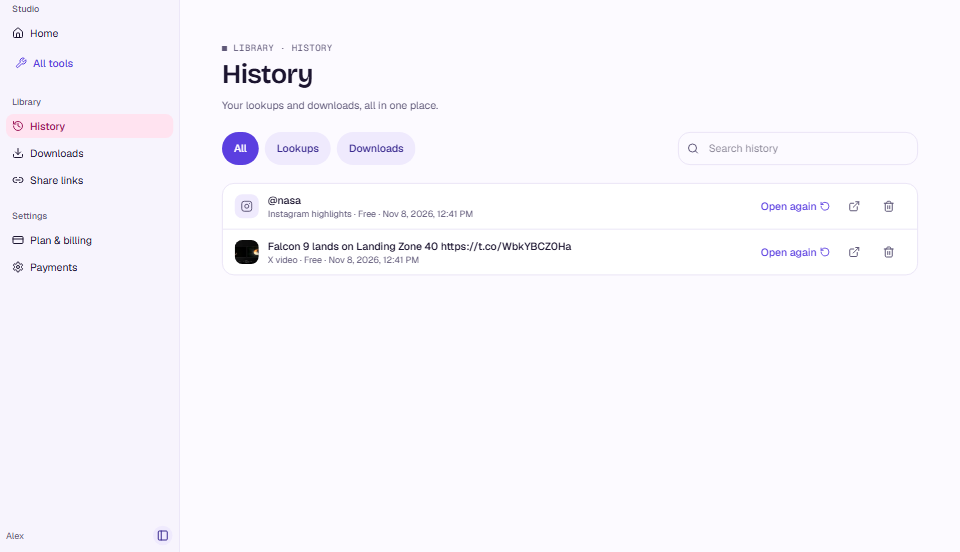
MuteView Studio: History lists your lookups and downloads, each with Open again
Studio · History

More Instagram tools

All Instagram tools

Instagram Audio Downloader· Save a public Reel's sound as M4A or MP3.
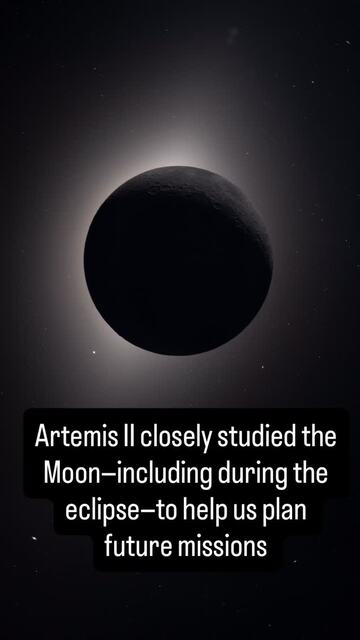
A clip from @nasa's Artemis II highlight
Download

Instagram Highlight Downloader

Save highlights as a ZIP, a merged video or a poster.