Instagram Reels Downloader
Paste a reel link, play it in your browser, and save it as an MP4 with sound. It needs no Instagram login and no app, and MuteView never contacts the creator or your account. In our test of 12 public reels from 8 large accounts (Nov 2026), every file had sound and no watermark.
Free to try · no watermark added by MuteView
Downloads are free once the reel opens · Sign in free for 30 lookups a month, up to 5 a day
Sample reel · @nasa · 0:29
- Resolution720×1280
- File size5.6 MB
- MP4 with sound
- No watermark added
In our test of 12 public reels from 8 large accounts (Nov 2026), every file had sound and no watermark.
How to download an Instagram reel
- Step 1: Copy the reel link
In the Instagram app, open the reel, tap Share, then Copy link. On a computer, copy the address from your browser's address bar. Links with /reel/, /p/ or /tv/ all work, as long as the post holds a video.
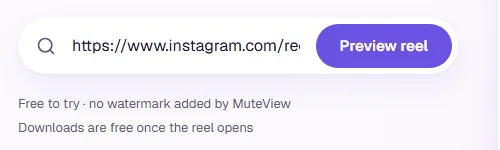
- Step 2: Paste it and press Preview reel
The reel plays on the page, so you can check it's the right one before you save it. Story links, profile links and links from other sites get a short message instead.
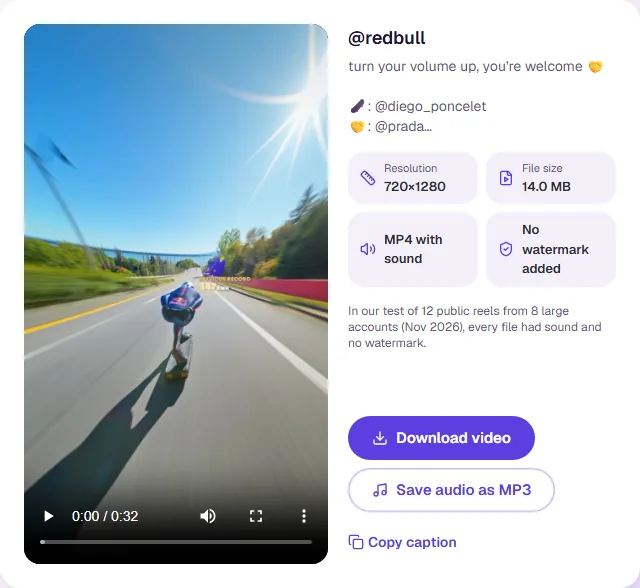
- Step 3: Press Download video
Your browser saves an MP4 named like instagram-Dfy_T9RNW0m.mp4 (instagram-<shortcode>.mp4). The download doesn't use up a lookup. Only opening a new reel does.
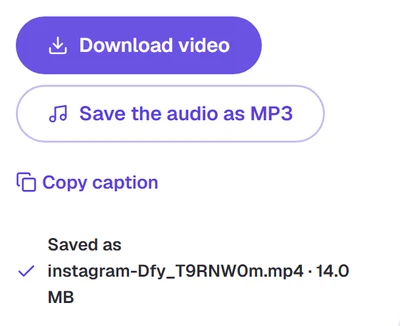
What do you get when you download a reel? We tested 12
In our test of 12 public reels from 8 large accounts (Nov 2026), all 12 had H.264 video with AAC stereo sound, all 12 could play while downloading, and 24 checked frames showed no Instagram or MuteView watermark. Checking the same reel again took about 1.3 seconds, with no lookup charged; each download link lasted 60 minutes.
Every file we downloaded, in test order, from our November 2026 test of 12 public reels across 8 large accounts:
| Account | Length | Size | Resolution |
|---|---|---|---|
| @natgeo | 0:18 | 3.3 MB | 720×1280 |
| @natgeo | 1:08 | 7.4 MB | 720×1280 |
| @espn | 1:14 | 26.9 MB | 720×1280 |
| @espn | 0:34 | 7.6 MB | 720×900 |
| @nike | 0:17 | 3.2 MB | 720×1280 |
| @nba | 1:01 | 5.7 MB | 720×1280 |
| @nba | 1:37 | 29.2 MB | 720×1280 |
| @bbcnews | 0:28 | 3.6 MB | 720×1280 |
| @airbnb | 0:53 | 5.8 MB | 720×1280 |
| @redbull | 0:33 | 14.0 MB | 720×1280 |
| @nasa | 0:29 | 5.6 MB | 720×1280 |
| @airbnb | 0:06 | 1.3 MB | 720×1280 |
Instagram makes all 12 available to logged-out visitors at their full sizes: 11 at 720×1280 and one at 720×900. Any tool gets the same file. Claims of 1080p are usually upscaled. Across these 12 reels, a 30-second video works out to about 6–7 MB, so saving one over mobile data is a light download.
| Check | Result |
|---|---|
| Download of the file | About 3.1 seconds |
Opening and saving a new reel took about 7 seconds in our test: about 3.7 seconds to look it up, then 3.1 seconds to download the file.
In these 12 files the playback index sits at the front, so a player can start before the whole download has finished. Creator logos, captions and titles were not added by us; timings can vary from this single test connection.
Save Instagram reels as MP4 with sound, no watermark
Saving a reel means keeping the same video you watch on Instagram, with its sound, as a file you own. MuteView is an Instagram reels downloader that does it from a link, with nothing to install.
- MP4 with sound: Downloads are MP4 files. All 12 test files held H.264 video and AAC stereo audio, so music and voices come with the picture.
- No watermark added: To save insta reels without watermark, you need a copy with nothing added on top. MuteView adds no logo, username or banner, and we found no Instagram or MuteView watermark in the 12 reels we checked.
- One size: In our test every file was 720 pixels wide, the size Instagram gives visitors who aren't logged in. Any tool gets the same file, and a 1080p promise usually means an enlarged copy.
- No app or extension: It runs in a browser tab on a phone or computer.
Try it on the sample reel: @nasa, 29 seconds, 5.6 MB.
Watch a reel without the app or an account
Every reel has a link, and a link is all this page needs. Paste it and the reel plays in your browser. You can watch a reel in your browser without the app, and you don't need an Instagram account.
Apps and browser extensions must be installed before they work, while a browser tab is already open on any phone or computer.
Playing first also stops you saving the wrong reel. Check the video and sound, then decide whether to keep the file. It's quicker than saving a reel and deleting it later.
You don't sign in to Instagram, share a password or add a browser extension. Paste, watch, then save if you like. Everything happens in one tab, on a phone or a computer.
MuteView never contacts the creator or your account. Only public reels open, and a private account's reels stay private.
Reels download on iPhone, Android and PC
The MP4 goes to your browser's download folder first. From there you can move it to your gallery if you want it with your other videos. These are the usual paths on each kind of device.
| Device | Where the file lands | Put it in your gallery |
|---|---|---|
| iPhone | Files app, Downloads folder | Open the file, tap Share, then Save Video |
| Android | Downloads folder | Open it from the Files app or the browser's download list |
| PC or Mac | Your browser's Downloads folder | Play it in any video player |
Most failed downloads come down to the link, not the device. If a reel won't open, find what you see in the next table and follow the fix beside it.
| What you see | Why | What to do |
|---|---|---|
| Private account message | The account isn't public | Nothing to do, we can't open private reels |
| Reel not found | It was deleted or the link is wrong | Open the link in a browser and check it plays |
| Story or profile link | This page takes one reel link | Paste the link of a single reel |
| Carousel post | For carousel posts we can only open the first item | Expect the first item only |
| Shortened or shared link | The full address wasn't copied | Open it in a browser, then copy the address bar |
| Download link expired | Download links last 60 minutes | Look the reel up again |
Need only the sound of a reel, without the picture? Use the Instagram audio downloader to save that audio as MP3 from the same kind of link.
FAQ
What is an Instagram reels downloader?
An Instagram reels downloader is a tool that saves a public reel as a video file from its link. MuteView is a free Instagram reels downloader that plays the reel first, then saves it as an MP4 with sound, with no Instagram login.
How do I download an Instagram reel?
Copy the reel's link, paste it above and press Preview reel. When the reel plays, press Download video. Your browser saves the MP4.
Do I need an app to download reels?
No. There's no reels download app or application to install. MuteView runs in your browser on a phone or computer, with no extension or account to set up.
Does it save reels with sound?
Yes. In our test of 12 public reels from 8 large accounts (Nov 2026), every file held AAC stereo sound next to the video. The music or voice you hear on Instagram comes with the file.
Does it save reels as MP4?
Yes, downloads are MP4 files. That's the format you can open on phones, computers and most editing apps.
Show all 16 questions
Is there a watermark?
MuteView adds none. In our test of 12 public reels from 8 large accounts (Nov 2026), we found no watermark in the 24 frames we checked. Logos or captions the creator put inside the video stay.
Can I download Instagram reels in HD or 4K?
In our test of 12 public reels from 8 large accounts (Nov 2026), none was 1080p. Eleven were 720×1280 and one was 720×900. That's the size Instagram gives visitors who aren't logged in.
Any tool gets the same file, so a 1080p promise usually means an enlarged copy.
Can I download a private account's reel?
No. Instagram shows a private account's reels only to approved followers who are signed in, and MuteView never uses your Instagram account. So it can only open public reels.
Will the owner know I downloaded their reel?
MuteView never contacts the creator or your account, so we send them nothing.
Can I download all reels from a profile at once?
No. This page takes one reel link at a time. Paste each reel you want.
How many reels can I download for free?
Downloads are free. Sign in free for 30 lookups a month, up to 5 a day, and each new reel you open uses one. Opening the same reel again soon after costs nothing.
Can I watch a reel without an Instagram account?
Yes. Paste the link and the reel plays on the page. You can then save it or just watch.
Can I download a carousel post?
For carousel posts we can only open the first item.
Can I download Stories or highlights here?
No, this page is for reels. For highlights, use the Instagram highlight downloader.
Can I download my own reels?
Yes, if your account is public. Paste the link of your reel and it works like any other.
Can I repost a reel I downloaded?
Saving a reel doesn't give you the right to repost it. Ask the creator before you share it or use it commercially.
Only need the sound? Save a Reel’s audio as an MP3 with Instagram to MP3.
Sign in for more free lookups
Free, no card. 30 lookups a month, up to 5 a day, and share links that don’t expire.
Without an account
Free
- 2 lookups a day
- Look up and download public posts
- Nothing saved after you close the tab
Free account
Free · no card needed
- 30 lookups a month, up to 5 a day
- Share links that don’t expire