What is the Instagram post ratio?
Feed photos can be any ratio from 1.91:1 (landscape) to 3:4 (portrait). The Instagram Help Center gives this range.
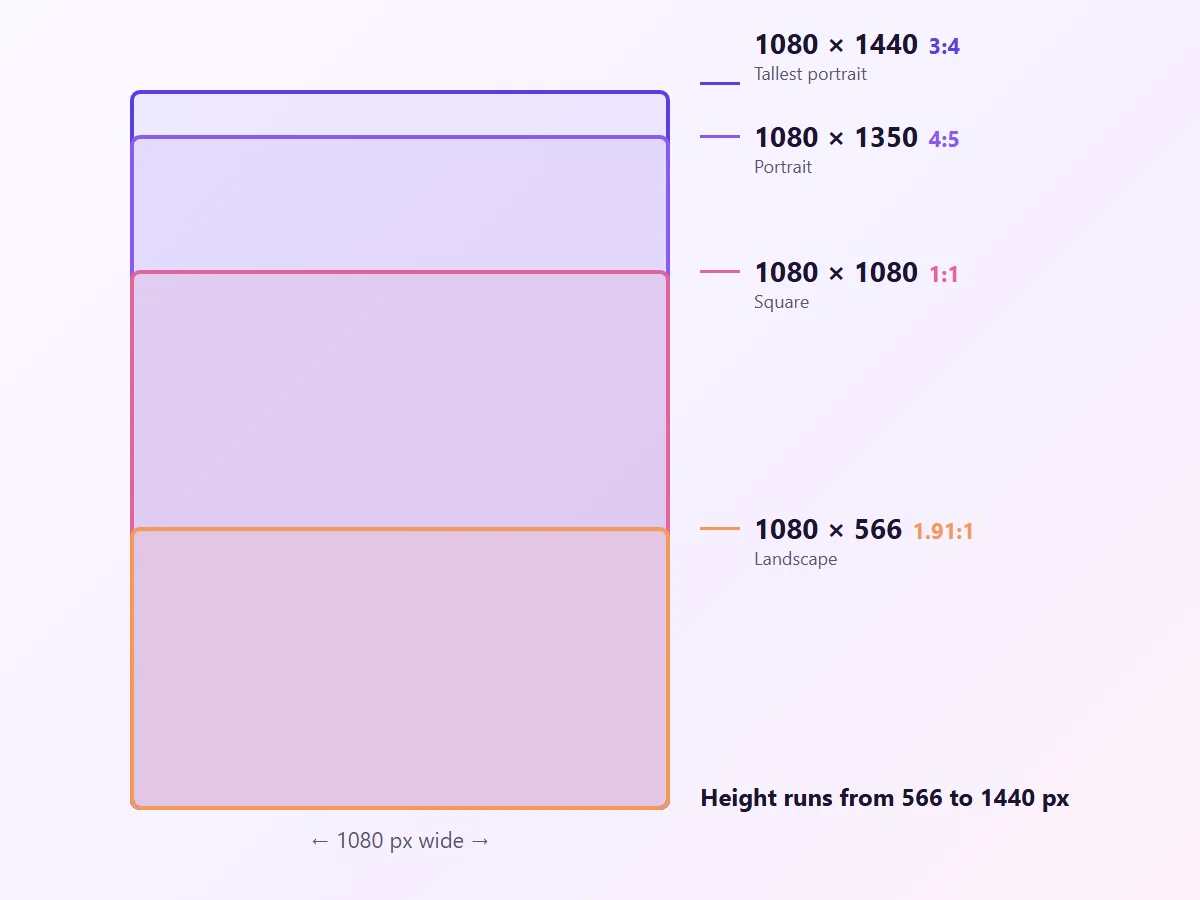
The Instagram post size for feed photos is 1080 px wide, and the post ratio can be any shape from 1.91:1 landscape to 3:4 portrait, so heights run from 566 to 1440 px.
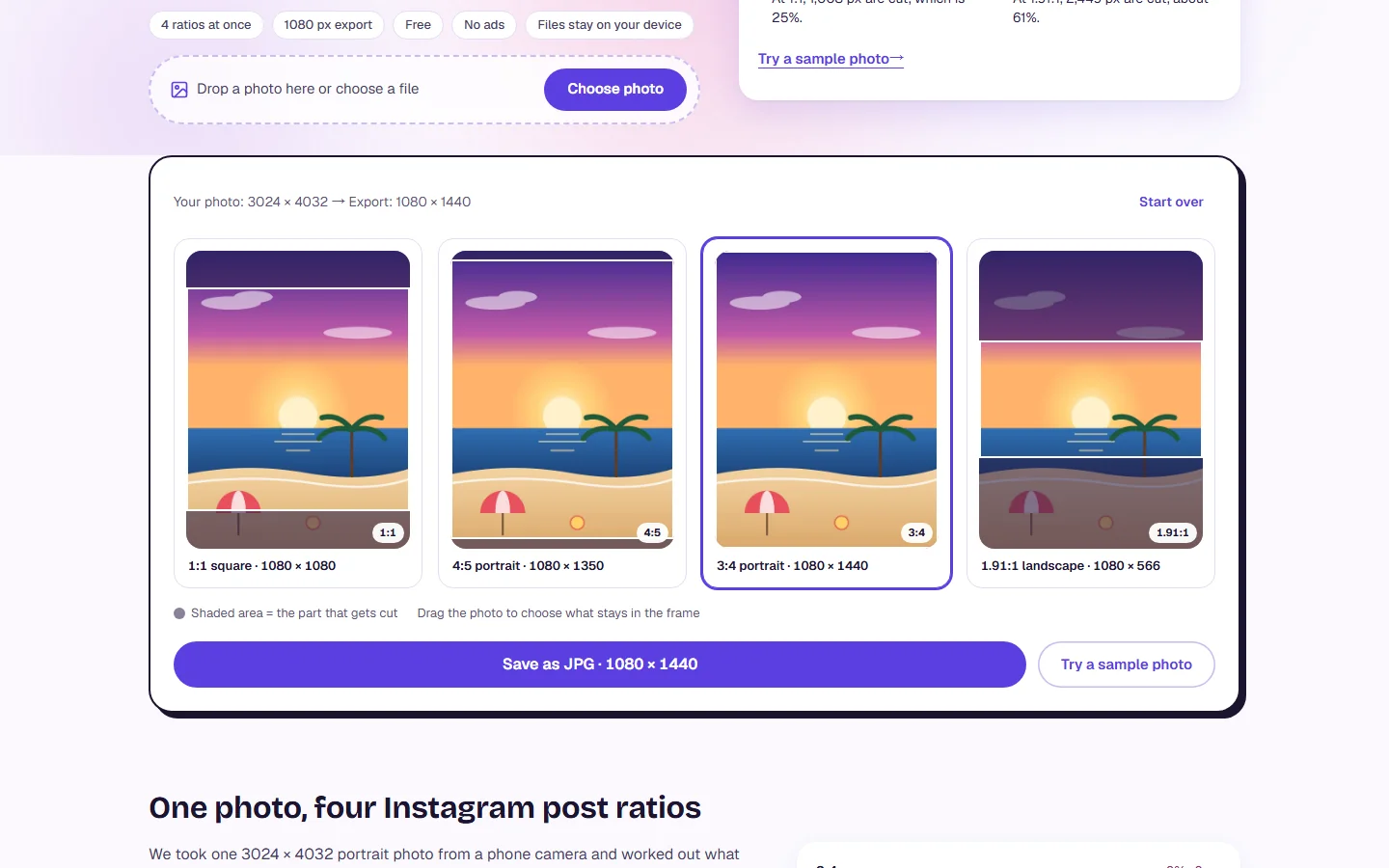
Upload one photo to see how 1:1, 4:5, 3:4 and 1.91:1 would crop it, side by side. Then save the ratio you like as a 1080 px wide JPG.
Feed photos are 1080 px wide with a ratio between 1.91:1 and 3:4, per the Instagram Help Center, checked Nov 26, 2026.
3024 × 4032
Drop a photo here or choose a file
JPG, PNG, WebP or HEIC, up to 20 MB
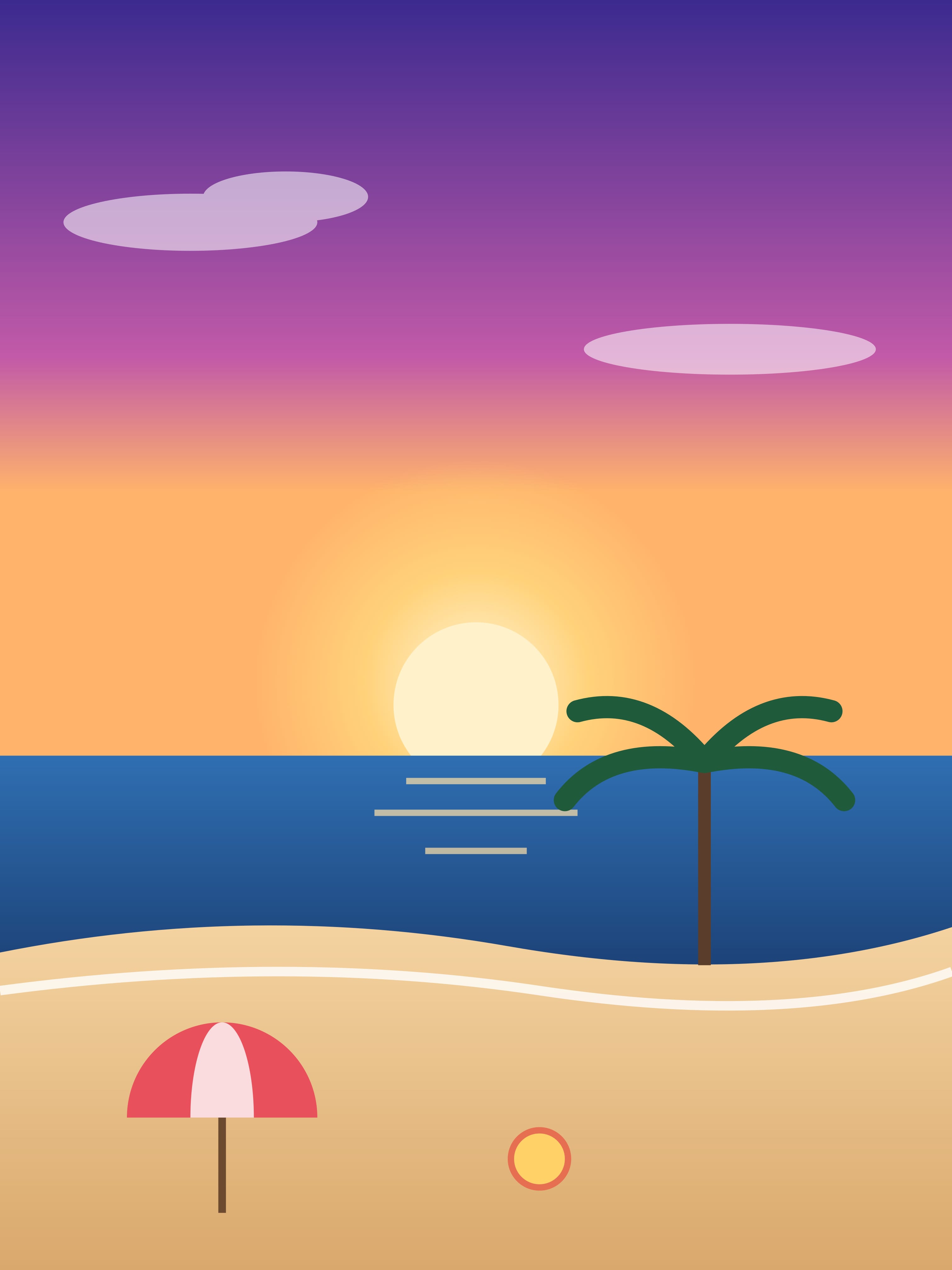
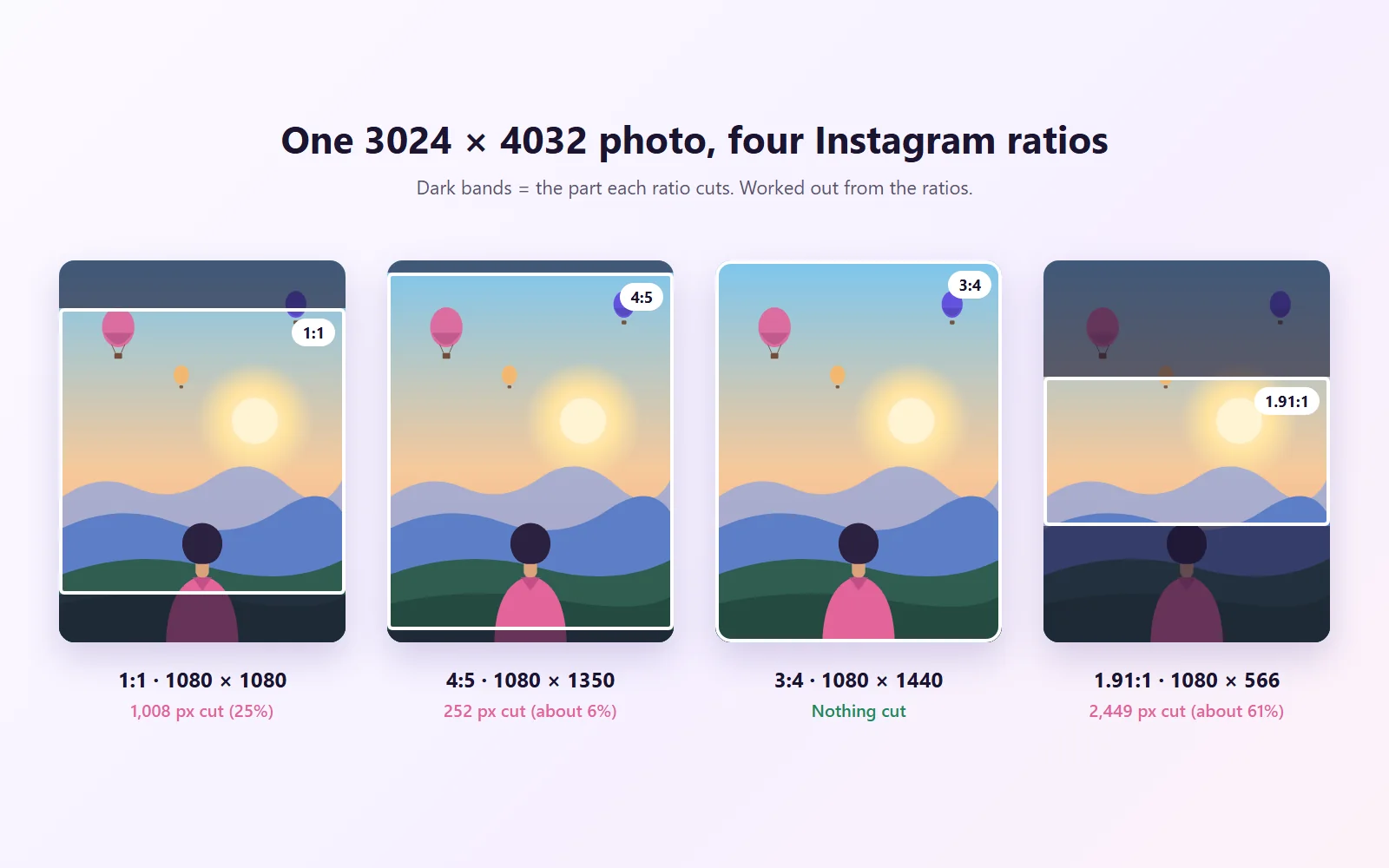
We took one 3024 × 4032 portrait photo from a phone camera and worked out what each ratio removes. These are calculations from the ratios, not posted results.
Updated Nov 2026
Feed photos can be any ratio from 1.91:1 (landscape) to 3:4 (portrait). The Instagram Help Center gives this range.
1080 px wide. The height can be 566 to 1440 px, depending on the ratio.
No. The Help Center lists 3:4 (1080 × 1440) as the tallest photo. The developer docs and the ads guide still list 4:5.
Instagram crops it to a supported ratio. The Help Center says so in the same paragraph.
Up to 1080 px wide. Wider photos are sized down to 1080 px, and photos under 320 px are enlarged to 320 px.
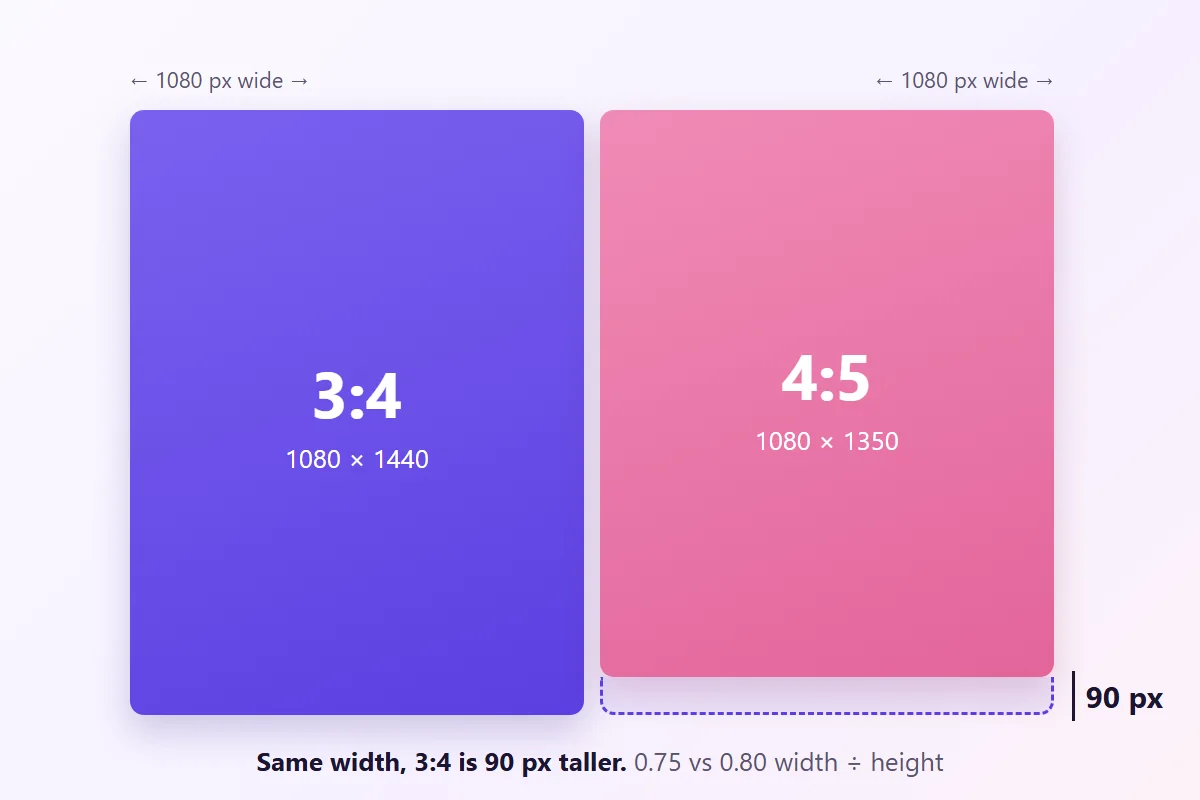
Both shapes are portrait and both are 1080 px wide, but 3:4 is 90 px taller. The table compares them at the width Instagram keeps, so you can see what the extra height buys you.
| 3:4 | 4:5 | |
|---|---|---|
| Size at 1080 px wide | 1080 × 1440 | 1080 × 1350 |
| Width ÷ height | 0.75 | 0.80 |
| Screen area vs the other | About 6.7% more | About 6.3% less |
| Listed by the Help Center | Yes, as the tallest | Yes, inside the range |
| Listed by the developer docs and ads guide | No | Yes, as the tallest |
| A 3024 × 4032 phone photo | Fits with no crop | Loses 252 px of height |
Most phone cameras shoot 3:4, so a 3:4 post keeps the whole frame. Pick 4:5 if you schedule posts through an app that only accepts the older range.
Different pages give different answers because they describe different things. Here is each claim, where it comes from, and what it covers, with Instagram's own text first.
| Where it's stated | Tallest portrait | What it covers |
|---|---|---|
| Instagram Help Center, checked Nov 26, 2026 | 3:4, 1080 × 1440 | Photos you post in the Instagram app |
| Meta developer docs, checked Nov 26, 2026 | 4:5 | Posting through apps that use the Instagram API |
| Meta Ads Guide, checked Nov 26, 2026 | 4:5 at 1440 × 1800 | Feed ads only |
| Many third-party size guides | 4:5, 1080 × 1350 | Often written before the Help Center listed 3:4 |
| Some newer size guides | 4:5 or 3:4 | Organic posts, with no source given |
Trust the Help Center line for posts you make in the app. Use the 4:5 limit only for ads or for scheduling apps that reject 3:4.
Yes. This tool runs in your browser, with no sign-up, no watermark and no ads, and we don't count how many photos you check.
No. The photo is read and cropped in your browser, and it isn't sent to our server. Close the tab and it's gone.
Each export is one JPG at the width Instagram keeps. The table lists every detail of the file, so you know what you are uploading before you post.
| Item | Detail |
|---|---|
| File type | JPG |
| Width | 1080 px |
| Height | 1080 (1:1), 1350 (4:5), 1440 (3:4) or 566 (1.91:1) |
| Watermark | None |
| File name | beach-4x5.jpg for a photo named beach.jpg at 4:5 (your name, then the ratio) |
| Transparent PNG | Transparent areas become white |
If your photo is narrower than 1080 px, the export keeps its width. Enlarging a small photo can't add detail, so start from the original camera file.
The checker crops and saves photos and nothing more. Here is what it leaves out, why, and what to do instead.
| Item | Why | What to do instead |
|---|---|---|
| Post to Instagram for you | It has no access to your account | Save the file, then post it in the Instagram app |
| Stop Instagram's own compression | Instagram processes every upload | Turn on Upload at highest quality (see FAQ) |
| Show the exact grid thumbnail | Instagram hasn't published the grid thumbnail ratio | Keep the main subject near the center |
| Keep a photo uncropped | Picking a ratio here means cropping | Use the 4:5 no-crop resizer to add borders |
| Edit video | It reads photos only | Trim video in your video app |
Everything the tool does happens before you open Instagram.
There are three common ways to get a photo into the right shape. This table compares them on the points that decide whether your post gets cut.
| MuteView | Typical size-guide sites | Posting straight in Instagram | |
|---|---|---|---|
| Shows all 4 ratios at once | Yes | No, they show a table | One ratio at a time |
| Lists 3:4 as the tallest | Yes, with the source | Many still list 4:5 | Offers its own crop options |
| Each size has a source link and date | Yes | Rarely | Not shown |
| You choose what gets cut | Yes, drag to frame | Article only, no tool | Yes, in the crop screen |
| Saves a file at the exact size | Yes, 1080 px wide | No | No file is saved |
Size guides are good for reading the numbers. A checker is faster when you want to see your own photo in each shape.
Every row below links to the page it comes from and shows the day we checked it. Rows Instagram hasn't published are marked unverified instead of guessed.
| What | Value | From | Checked |
|---|---|---|---|
| Feed photo ratio range | 1.91:1 to 3:4 | Help Center | Nov 26, 2026 |
| Feed photo height at 1080 px wide | 566 to 1440 px | Help Center | Nov 26, 2026 |
| Wider than 1080 px | Sized down to 1080 px | Help Center | Nov 26, 2026 |
| Narrower than 320 px | Enlarged to 320 px | Help Center | Nov 26, 2026 |
| Unsupported ratio | Cropped to a supported ratio | Help Center | Nov 26, 2026 |
| Posting through the Graph API | 4:5 to 1.91:1, JPEG, up to 8 MB | Meta developer docs | Nov 26, 2026 |
| Feed ads, recommended | 4:5, 1440 × 1800 | Meta Ads Guide | Nov 26, 2026 |
| Profile grid thumbnail ratio | Not published by Instagram | Unverified | Nov 26, 2026 |
For the grid, see Instagram grid size, where the preview shows how tiles sit on a profile today.
Choose a photo, or drop it on the box.
Look at the four previews. The shaded part is what gets cut.
Drag the photo inside the frame you like.
Press Save as JPG. The file is 1080 px wide.
In Instagram, tap the expand icon in the crop screen so the app keeps your ratio.
For feed photos, any ratio from 1.91:1 to 3:4. Square is 1:1, the common portrait is 4:5, and the tallest is 3:4.
There isn't one fixed ratio. Pick 1:1, 4:5 or 3:4 for square and portrait, or 1.91:1 for landscape.
3:4, which is 1080 × 1440 px. Many guides still list 4:5 (1080 × 1350) as the tallest.
1080 px wide. Height is 1080 for square, 1350 for 4:5, 1440 for 3:4 and 566 for 1.91:1.
Use 3:4 for photos straight from a phone camera, since nothing gets cut. Use 4:5 for ads or for scheduling apps that reject 3:4.
1080 × 566 px, a 1.91:1 ratio. That is the widest feed photo Instagram keeps without cropping.
Export at 1080 px wide in the ratio you want. Instagram sizes wider photos down to 1080 px anyway, so a larger file adds nothing.
Its ratio is outside 1.91:1 to 3:4, so Instagram cuts it to fit. Choose a ratio here first, or add borders with the 4:5 no-crop resizer.
Instagram sizes photos to 1080 px wide and processes every upload. In the app, open the menu on your profile, go to Your app and media, then Media quality, and turn on Upload at highest quality.
Pricing
2 lookups a day signed out; a free account gets 30 a month, up to 5 a day. Pro adds 200 lookups a month; lookup packs never expire.
$5.99/ month